
How to Integrate Priority ERP with AI Agents (Without Breaking the Bank)
If you own a logistics company, a retail chain, or a manufacturing plant, you probably use Priority.
Priority ERP is the “quiet giant.” Salesforce is flashier, but this is the engine that runs thousands of businesses. It takes care of the difficult things, like Bill of Materials (BOM), complicated inventory transfers, and finances in more than one currency.
The problem with operational engines is that they are often separate from each other. Your warehouse team knows what’s going on in Priority, but does your sales team? Does the person who answers your customer service call know that the “In Stock” item is really in quarantine? This is where the AI assistant comes in.
By combining Priority with AI agents, you can connect the “hard data” in your ERP with the “soft skills” of your business. You can ask questions in plain English, like “Why is this order late?” and get answers backed by data, like “Because we are missing raw material X, which is stuck in customs.”
But Priority is one of a kind. It doesn’t work like other ERPs. You won’t be able to integrate it like a regular SQL database. Let’s talk about why and how to do it right.
The “Form” Philosophy: The Key to Getting Things Done
Most ERPs show their data in tables. You ask questions about the CUSTOMER table. Priority shows its data as forms.
This is a very important difference. The form, not just the database, holds the business logic in Priority. You might miss the trigger that calculates tax or updates inventory if you add a row to a database table by hand.
When you use the Priority REST API, which is based on OData, you are really “opening” a form online.
- You don’t just “Add a Record.”
- “Open the Order Form,” “Fill in the Line Items,” and “Exit the Row.”
This flow must be followed by your AI agent integration. If your AI tries to force data in sideways, Priority will either deny it or, even worse, corrupt your data.
The Technical Breakdown
OData (Open Data Protocol) is what Speaking OData uses. This is excellent because it’s a standard, but it can be long-winded.
1. The Setup: Users of the API
First, don’t log in with your own account. You need a specific API user.
- Users can be found by going to System Management > System Maintenance > Users.
- Make a new user.
- Important Step: Check “App-Only License” (or “API License”) in the user permissions. This makes sure that this robot doesn’t use up one of your pricey human licenses.
- Make a Personal Access Token (PAT). Your password is this.
2. The Agent’s Tool: Working with Sub-Forms
This is where things get hard. Data that is a priority is nested. An order has order items, which are its children. It can’t just send one big blob of JSON if you want your AI agent to “Create a Sales Order.”
The agent’s reasoning loop should look like this:
- Create the header (Customer Name, Date) with a POST to /ORDERS.
- GET the new ORDERNAME, which is the ID that Priority made.
- POST to /ORDERS(‘ORDERNAME’)/ORDERITEMS: Add the exact items.
If you don’t teach your AI agent platform this “parent-child” relationship, it will make up orders that don’t have any products in them.
3. The “Transaction” Cost
Priority counts how many transactions there are. When your API writes a line, it adds one to a counter. If you buy a “10,000 API Transactions” package and your AI agent decides to “update every single price in the system” every hour, you’ll use up your monthly limit in the first morning.
- The Fix: You need to tell your agent to be quick. “Only update records where the LAST_MODIFIED date is today.”
Examples of Use: The Brain That Works
What possibilities open up once you master the OData process?
The Manufacturing Helper
There is a lot going on on the factory floor. They don’t have time to sit down at a terminal.
- The Process: A manager sends a text to the agent that says, “Start work on Work Order #554.”
- The agent checks the BOM (Bill of Materials) in Priority. It checks to verify that all the raw materials are in the “Floor” warehouse.
- The Action: It changes the WO status to “In Process” and automatically lowers the inventory. It says, “I can’t start #554” if materials are missing. We need 50 more screws. “Should I send a transfer request from the Main Warehouse?”
The Smart Buying Agent
- The Workflow: The agent keeps an eye on the stock levels of important items.
- The Logic: It doesn’t just check “Minimum Stock.” It looks at the time it takes to lead. It figures out, “We have 100 units.” We sell ten of them every day. It takes 15 days to restock. “We are in the danger zone.”
- The Action: It makes a purchase order for the preferred vendor and sends it to the CFO on Slack for approval.
The “Where is my stuff?” Bot
- The Process: A customer sends an email asking, “Where is my order?”
- The agent looks for Priority because it makes sense. It sees that the order has been “shipped.” It gets the Tracking Number from the SHIPPING subform.
- The Action: It sends the customer the link back.
- The twist is that if the order is “stuck,” the agent checks the “Notes” field in Priority, sees “Credit Hold,” and tells the account manager instead of the customer.
The Noca Advantage: We Speak “Form”
Building an OData integration that follows Priority’s parent-child logic and transaction limits is a lot of work. You have to deal with batching, retries, and figuring out what went wrong.
Noca makes this very easy. We made a Priority Connector that natively understands the “Form” philosophy.
- No Schema Mapping: We automatically find your Z-columns, which are your own columns.
- Transaction Optimization: Our agents know how to “read once, write efficiently,” which helps you stay within your API limits.
- Business Logic Safety: We make sure that the agent never tries to write to a calculated field that is set to read-only.
You don’t have to learn how to write OData. You only need to connect Noca, and your Priority ERP will start listening, thinking, and acting. Turn your operational data into operational intelligence with Noca.

If you’ve ever tried to pull a project report out of Monday.com, you know the drill. It starts with a simple “I’ll just check the…
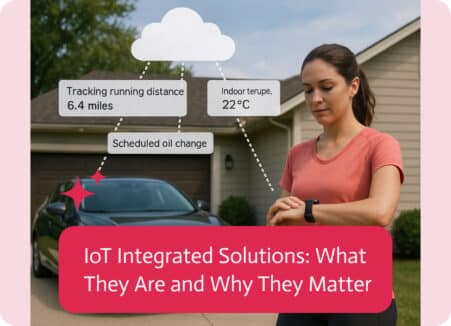
IoT integrated solutions refer to systems where Internet of Things (IoT) devices are connected, managed, and automated together with other technologies (software, platforms, or business…

Integration-Platform-as-a-Service (iPaaS) is the cloud-hosted glue that snaps SaaS apps, on-prem systems, files, APIs, streams, you-name-it into a single, well-behaved ecosystem, no custom spaghetti code…