

Create a Chatbot From Claude
Claude can create a business chatbot in Noca through the MCP server: you describe the bot, Claude builds and configures it, tests it with sample questions and prepares it for publishing.
Example
“Create an HR helpdesk bot for employees. It answers from our handbook PDF and benefits website, collects leave requests with a form and creates a ticket in Jira for anything it cannot answer.”
Steps Claude takes
- Creates the bot with
create_bot. - Adds the handbook with
add_bot_fileand the website withset_bot_web_source. - Adds actions with
create_bot_flow. - Tests it with
send_bot_message. - Validates it with
validate_bot.
Tips
- Give the bot clear rules about what it must not answer.
- Test with real employee questions.
- Review conversations regularly after launch.
See Noca Bots, MCP chatbot tools and building a chatbot with ChatGPT.
Frequently Asked Questions

Can Claude create a chatbot?
Yes. Through the Noca MCP Server, Claude can create and configure Noca chatbots.
Can the chatbot use company documents?
Yes. Bots can use PDF, text and Markdown files and websites as knowledge.
Who publishes the chatbot?
An admin with the Admin permission group.
How do I create a chatbot with Claude?
Claude can create a business chatbot in Noca through the MCP server: you describe the bot, Claude builds and configures it, tests it with sample questions and prepares it for publishing.
What can I do once I create a chatbot with Claude?
Key points include: Give the bot clear rules about what it must not answer; Test with real employee questions; Review conversations regularly after launch.
What are the steps to create a chatbot with Claude?
1) Creates the bot with create_bot 2) Adds the handbook with add_bot_file and the website with set_bot_web_source 3) Adds actions with create_bot_flow 4) Tests it with send_bot_message 5) Validates it with validate_bot.
Can I create a chatbot with Claude from ChatGPT, Claude or Grok?
Yes. With the Noca MCP Server, ChatGPT, Claude, Grok and other MCP-compatible assistants can run your published Noca flows and use Noca tools, within the permission groups and per-tool approvals you set.
Do I need developers to create a chatbot with Claude?
Is it secure to create a chatbot with Claude?
Use least-privilege permissions, require approval for sensitive actions and keep a log of every run. Noca follows the TRAPS framework (Trusted, Responsible, Auditable, Private and Secure), records every flow run in integration logs and lets you control data storage for specific flows.
How long does it take to create a chatbot with Claude?
A first working version can often be built from a prompt and tested quickly. The total time depends on how many systems, approvals and documents are involved and how much testing your team requires before publishing.
How do I measure the results of this approach?
Compare cycle time, manual steps, error rates and adoption before and after. Noca integration logs show how often each process runs, how long it takes and where it fails.
Does Noca have an MCP server?
Yes. The Noca MCP Server connects ChatGPT, Claude, Grok and other MCP-compatible assistants to your Noca workspace with 80 tools for apps, bots, flows, documents, connections and data.
Which permission groups does the Noca MCP Server use?
Tools are grouped into Builder, Data read, Data write and Admin. In your assistant, each tool can be set to always allow, needs approval or blocked, and destructive actions ask for confirmation.
Can AI assistants read CRM and ERP data through Noca?
Yes. The read-only query_records tool reads records from Salesforce, Priority, SAP Business One, Microsoft Dynamics 365 and Microsoft SQL Server without building a flow.
Can AI assistants change data in my systems through Noca?
Yes, by running published Noca flows with the run_flow tool, which requires the Data write group. The flow keeps your validation and mapping, and you can require approval for each run.
Is Noca also an MCP client?
Can Noca build AI agents?
Yes. Noca builds AI agents that act inside your CRM, ERP and business tools, within permissions and with every run logged.
Can Noca build chatbots?
Yes. Noca Bots answer from files and websites and take actions such as creating leads or tickets.
What is Noca?
Noca is an AI-powered business process automation platform that combines forms, document generation, e-signatures, workflow automation, AI agents and 60+ integrations, with an MCP server for ChatGPT, Claude and Grok.
Do I need to code to use Noca?
No. Noca builds apps, flows, bots and documents from plain-language prompts; developers can extend them with APIs and webhooks.
Chatbots help businesses communicate with customers, answer questions, and provide assistance at any time. But not every conversation follows the same…

Use Claude to build business automations step by step: create a flow, add steps, connect services, validate, test and hand over for publishing.
Ask Claude to build a form that creates and updates HubSpot contacts and deals, enriches leads and triggers follow-up automatically.
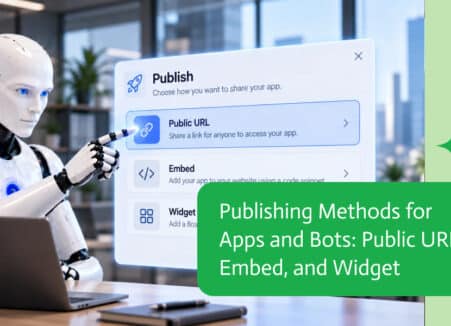
Use Claude to create a business app connected to your CRM and ERP: describe it, preview it, refine it and publish it through the Noca MCP Server.
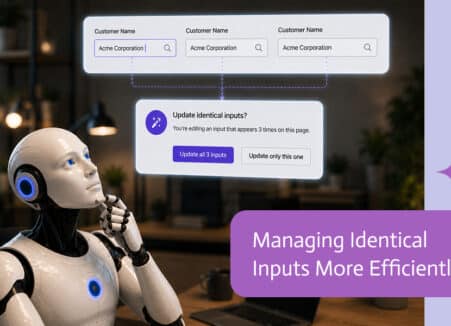
Use Claude to create business forms through an MCP server: connect Noca, describe the form, preview it, add workflows and publish safely.