

MCP Tools for Chatbots Explained
MCP chatbot tools let AI assistants create and manage business chatbots: building them, adding knowledge, connecting actions, testing conversations and publishing. These are the bot tools in the Noca MCP Server.
Create and configure
create_botandupdate_bot: create a bot from a prompt and change name, language, greeting or instructions.add_bot_file,set_bot_file,set_bot_instruction: knowledge files and rules.set_bot_web_source: websites the bot learns from.create_bot_flowandset_bot_flow: automations and data sources.set_bot_mcp_serverandlist_bot_mcp_tools: external MCP servers with a tool allowlist.
Test and review
start_bot_conversation,send_bot_messageandget_bot_conversation: test the bot privately.get_bot,list_bots,list_bot_sources: review configuration.validate_bot: readiness checks.
Admin
publish_botanddelete_botrequire the Admin group.
See the Noca MCP tools reference, Noca Bots and building a chatbot with ChatGPT.
Frequently Asked Questions

Which MCP tool creates a chatbot?
create_bot creates a Noca chatbot from a prompt.
Can I test a bot from an AI assistant?
Yes, with start_bot_conversation and send_bot_message.
Can bots use external MCP servers?
Yes, with set_bot_mcp_server and an explicit tool allowlist.
What are MCP chatbot tools?
MCP chatbot tools let AI assistants create and manage business chatbots: building them, adding knowledge, connecting actions, testing conversations and publishing.
What are the key elements of MCP chatbot tools?
Key points include: create_bot and update_bot: create a bot from a prompt and change name, language, greeting or instructions; add_bot_file, set_bot_file, set_bot_instruction: knowledge files and rules; set_bot_web_source: websites the bot learns from; create_bot_flow and set_bot_flow: automations and data sources.
What else should you consider about MCP chatbot tools?
Consider the following: start_bot_conversation, send_bot_message and get_bot_conversation: test the bot privately; get_bot, list_bots, list_bot_sources: review configuration; validate_bot: readiness checks.
Can I use MCP chatbot tools from ChatGPT, Claude or Grok?
Yes. With the Noca MCP Server, ChatGPT, Claude, Grok and other MCP-compatible assistants can run your published Noca flows and use Noca tools for MCP chatbot tools, within the permission groups and per-tool approvals you set.
Do MCP chatbot tools work with Salesforce, NetSuite, SAP and Priority?
Yes. Noca connects natively to Salesforce, NetSuite, SAP, SAP Business One, Priority ERP, HubSpot, monday.com and 60+ other systems, so MCP chatbot tools can use live data from them and update them automatically.
Do I need developers to implement MCP chatbot tools?
How do you keep MCP chatbot tools secure?
Use least-privilege permissions, require approval for sensitive actions and keep a log of every run. Noca follows the TRAPS framework (Trusted, Responsible, Auditable, Private and Secure), records every flow run in integration logs and lets you control data storage for specific flows.
How long does it take to implement MCP chatbot tools?
A first working version can often be built from a prompt and tested quickly. The total time depends on how many systems, approvals and documents are involved and how much testing your team requires before publishing.
How do I measure the results of MCP chatbot tools?
Compare cycle time, manual steps, error rates and adoption before and after. Noca integration logs show how often each process runs, how long it takes and where it fails.
Does Noca have an MCP server?
Yes. The Noca MCP Server connects ChatGPT, Claude, Grok and other MCP-compatible assistants to your Noca workspace with 80 tools for apps, bots, flows, documents, connections and data.
Which permission groups does the Noca MCP Server use?
Tools are grouped into Builder, Data read, Data write and Admin. In your assistant, each tool can be set to always allow, needs approval or blocked, and destructive actions ask for confirmation.
Can AI assistants read CRM and ERP data through Noca?
Yes. The read-only query_records tool reads records from Salesforce, Priority, SAP Business One, Microsoft Dynamics 365 and Microsoft SQL Server without building a flow.
Can AI assistants change data in my systems through Noca?
Yes, by running published Noca flows with the run_flow tool, which requires the Data write group. The flow keeps your validation and mapping, and you can require approval for each run.
Is Noca also an MCP client?
Can Noca build AI agents?
Yes. Noca builds AI agents that act inside your CRM, ERP and business tools, within permissions and with every run logged.
Can Noca build chatbots?
Yes. Noca Bots answer from files and websites and take actions such as creating leads or tickets.
What is Noca?
Noca is an AI-powered business process automation platform that combines forms, document generation, e-signatures, workflow automation, AI agents and 60+ integrations, with an MCP server for ChatGPT, Claude and Grok.
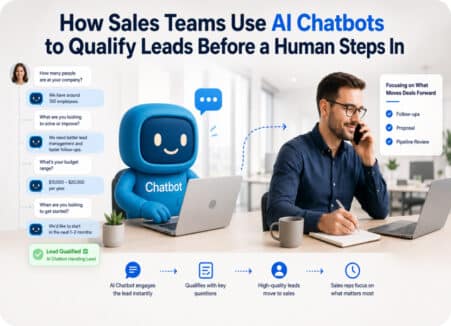
Sales teams often receive more enquiries than they can immediately handle. Some leads are highly relevant. Others are missing important information.

The MCP tools that let ChatGPT, Claude and Grok build business apps: create, update, preview, configure, test, publish and roll back.
The MCP tools that let ChatGPT, Claude and Grok set up and run document workflows: Word templates, PDF fields, AI layouts, file uploads and flow runs.
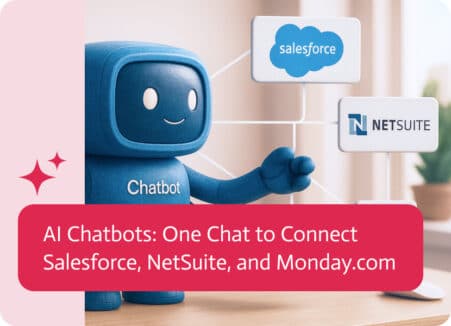
For sales folks, juggling all your separate tools can be a real pain. Instead of talking to customers, finalizing deals or making improvements, they’re stuck…
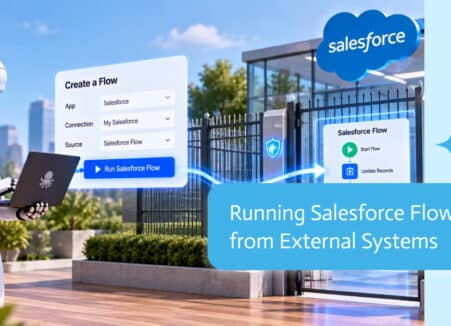
Chatbots answer, automations execute fixed steps, and AI agents decide and act. Learn the differences and when to use each in your business.