

How to Connect Claude to Salesforce with an MCP Server
You can connect Claude to Salesforce by adding an MCP server that has access to Salesforce as a custom connector in Claude. Claude can then read Salesforce records and, with the right permissions, run processes that create or update them, generate documents and notify your team.
What this makes possible
- Ask Claude for the status of an account and get an answer from live Salesforce data.
- Generate a quote or contract from an opportunity and send it for e-signature.
- Turn a won opportunity into an ERP customer and order in NetSuite, SAP or Priority.
- Summarize open cases for a key customer before a meeting.
How the connection works
Claude does not connect to Salesforce directly. It connects to an MCP server, and the MCP server holds the authenticated Salesforce connection. With the Noca MCP Server for Salesforce, Claude can read Salesforce records with the read-only query_records tool, and can run published Noca flows that work with Salesforce using run_flow.
Step-by-step setup
- Connect your Salesforce account in Noca once, so flows and tools can use it.
- In Noca, open Security & Credentials, then MCP Server, turn it on and choose the permission groups.
- Copy the private MCP Server URL.
- In Claude, go to Settings, Connectors, then Add custom connector. Name it, for example “Noca – Prod”, and paste the URL.
- Sign in to Noca when prompted.
- Open the connector and set each tool to Always allow, Needs approval or Blocked.
- Start a chat and ask, for example, “Show me open opportunities over $50,000 closing this month.”
Recommended permissions for Salesforce use
- Data read for questions about accounts, opportunities and cases.
- Data write only if Claude should run flows that update Salesforce.
- Needs approval for any tool that publishes, deletes or changes many records.
Example Claude prompts for Salesforce
- “Which of my opportunities have not been updated in 14 days?”
- “Generate the renewal quote for Acme and send it to the decision maker for signature.”
- “Run the closed-won flow for opportunity 0065g00000ABC.”
Learn more about the Noca Salesforce integration and the Noca MCP Server.
Frequently Asked Questions

Can Claude access Salesforce data?
Yes, through an MCP server connected to Salesforce. With Noca, Claude can read Salesforce records using a read-only tool and run approved flows that update them.
Does Claude need my Salesforce password?
No. The Salesforce connection is stored in Noca, and Claude connects to the Noca MCP Server using OAuth sign-in.
Can Claude update Salesforce records?
Yes, if you enable the Data write permission group. Claude then runs published Noca flows that perform the updates, and you can require approval for each run.
Is there a Salesforce MCP server?
The Noca MCP Server works as a Salesforce MCP server for business processes, and also connects Claude to NetSuite, SAP, Priority and 60+ other systems.
What is Claude Salesforce MCP?
You can connect Claude to Salesforce by adding an MCP server that has access to Salesforce as a custom connector in Claude.
What are the key elements of Claude Salesforce MCP?
Key points include: Ask Claude for the status of an account and get an answer from live Salesforce data; Generate a quote or contract from an opportunity and send it for e-signature; Turn a won opportunity into an ERP customer and order in NetSuite, SAP or Priority; Summarize open cases for a key customer before a meeting.
How do you get started with Claude Salesforce MCP?
1) Connect your Salesforce account in Noca once, so flows and tools can use it 2) In Noca, open Security & Credentials, then MCP Server, turn it on and choose the permission groups 3) Copy the private MCP Server URL 4) In Claude, go to Settings, Connectors, then Add custom connector. Name it, for example “Noca – Prod”, and paste the URL 5) Sign in to Noca when prompted.
What else should you consider about Claude Salesforce MCP?
Consider the following: Data read for questions about accounts, opportunities and cases; Data write only if Claude should run flows that update Salesforce; Needs approval for any tool that publishes, deletes or changes many records.
Can I use Claude Salesforce MCP from ChatGPT, Claude or Grok?
Yes. With the Noca MCP Server, ChatGPT, Claude, Grok and other MCP-compatible assistants can run your published Noca flows and use Noca tools for Claude Salesforce MCP, within the permission groups and per-tool approvals you set.
Does Claude Salesforce MCP work with Salesforce, NetSuite, SAP and Priority?
Yes. Noca connects natively to Salesforce, NetSuite, SAP, SAP Business One, Priority ERP, HubSpot, monday.com and 60+ other systems, so Claude Salesforce MCP can use live data from them and update them automatically.
Do I need developers to implement Claude Salesforce MCP?
How do you keep Claude Salesforce MCP secure?
Use least-privilege permissions, require approval for sensitive actions and keep a log of every run. Noca follows the TRAPS framework (Trusted, Responsible, Auditable, Private and Secure), records every flow run in integration logs and lets you control data storage for specific flows.
How long does it take to implement Claude Salesforce MCP?
A first working version can often be built from a prompt and tested quickly. The total time depends on how many systems, approvals and documents are involved and how much testing your team requires before publishing.
How do I measure the results of Claude Salesforce MCP?
Compare cycle time, manual steps, error rates and adoption before and after. Noca integration logs show how often each process runs, how long it takes and where it fails.
Does Noca have an MCP server?
Yes. The Noca MCP Server connects ChatGPT, Claude, Grok and other MCP-compatible assistants to your Noca workspace with 80 tools for apps, bots, flows, documents, connections and data.
Which permission groups does the Noca MCP Server use?
Tools are grouped into Builder, Data read, Data write and Admin. In your assistant, each tool can be set to always allow, needs approval or blocked, and destructive actions ask for confirmation.
Can AI assistants read CRM and ERP data through Noca?
Yes. The read-only query_records tool reads records from Salesforce, Priority, SAP Business One, Microsoft Dynamics 365 and Microsoft SQL Server without building a flow.
Can AI assistants change data in my systems through Noca?
Yes, by running published Noca flows with the run_flow tool, which requires the Data write group. The flow keeps your validation and mapping, and you can require approval for each run.
Is Noca also an MCP client?
Which integrations does Noca support?
Noca offers 60+ integrations, including Salesforce, NetSuite, SAP, Priority, HubSpot, Microsoft Dynamics 365, monday.com, Zendesk, Slack, Google Workspace, Microsoft 365, DocuSign and Shopify.
For sales folks, juggling all your separate tools can be a real pain. Instead of talking to customers, finalizing deals or making improvements, they’re stuck…

Connect ChatGPT to your CRM, ERP and documents with an MCP server. A step-by-step guide to setup, permissions and real business use cases.
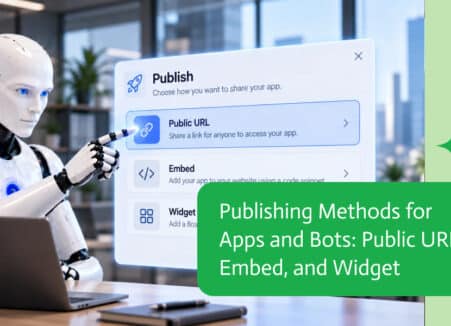
An MCP server lets AI assistants like ChatGPT, Claude and Grok securely use business tools and data. Learn how the Model Context Protocol works and why it matters.
Use Claude to create business forms through an MCP server: connect Noca, describe the form, preview it, add workflows and publish safely.

Bots are more useful when they can access accurate, up-to-date business information. Connecting a bot to Shopify allows it to work with store data such as…