

Conga Composer Alternatives for Salesforce Document Generation
Conga Composer is a well-known Salesforce document generation tool. Teams evaluate alternatives when they need documents that combine Salesforce with ERP data, automation beyond Salesforce, or simpler template management.
Two approaches
- Salesforce-native document tools live inside Salesforce and are configured by Salesforce admins.
- Cross-system automation platforms generate documents from Salesforce and other systems and handle signing and follow-up steps across all of them.
What to compare
- Template authoring: Word, PDF, and automatic layouts.
- Data sources: Salesforce objects and related lists, plus ERP or database data.
- Triggers: buttons, record changes, schedules and AI assistant requests.
- Signature options and post-signature automation.
- Who maintains templates: admins, developers or business users.
- Licensing per user versus per process.
Questions to ask your team
- Do our documents need data from NetSuite, SAP or Priority as well as Salesforce?
- Should a signed contract create records in other systems automatically?
- Who updates templates when legal wording changes?
- Do we generate documents in batches, such as statements?
Noca for Salesforce document generation
Noca generates documents from Salesforce records and related data, can combine them with NetSuite, SAP or Priority data, and runs the whole process, including approval, signature, storage and record updates, in flows. Word templates are mapped automatically. See document generation.
Frequently Asked Questions

What is a good Conga Composer alternative?
If you only need Salesforce documents, another Salesforce-native tool may fit. If documents also involve ERP data and post-signature automation, a platform like Noca is a strong alternative.
Can I generate Salesforce documents with ERP data?
Yes. Noca can merge Salesforce and ERP data, such as NetSuite or SAP, into one template.
Can generated documents be attached back to Salesforce?
Yes. The finished PDF can be stored and linked to the Salesforce record automatically.
What is a Conga alternative?
Conga Composer is a well-known Salesforce document generation tool. Teams evaluate alternatives when they need documents that combine Salesforce with ERP data, automation beyond Salesforce, or simpler template management.
How do you get started with a Conga alternative?
1) Template authoring: Word, PDF, and automatic layouts 2) Data sources: Salesforce objects and related lists, plus ERP or database data 3) Triggers: buttons, record changes, schedules and AI assistant requests 4) Signature options and post-signature automation 5) Who maintains templates: admins, developers or business users.
What else should you consider about a Conga alternative?
Consider the following: Do our documents need data from NetSuite, SAP or Priority as well as Salesforce?; Should a signed contract create records in other systems automatically?; Who updates templates when legal wording changes?; Do we generate documents in batches, such as statements?.
How does Noca help with a Conga alternative?
Noca generates documents from Salesforce records and related data, can combine them with NetSuite, SAP or Priority data, and runs the whole process, including approval, signature, storage and record updates, in flows. Word templates are mapped automatically. See document generation.
Can I use a Conga alternative from ChatGPT, Claude or Grok?
Yes. With the Noca MCP Server, ChatGPT, Claude, Grok and other MCP-compatible assistants can run your published Noca flows and use Noca tools for Conga alternative, within the permission groups and per-tool approvals you set.
Does a Conga alternative work with Salesforce, NetSuite, SAP and Priority?
Yes. Noca connects natively to Salesforce, NetSuite, SAP, SAP Business One, Priority ERP, HubSpot, monday.com and 60+ other systems, so Conga alternative can use live data from them and update them automatically.
Do I need developers to implement a Conga alternative?
How do you keep a Conga alternative secure?
Use least-privilege permissions, require approval for sensitive actions and keep a log of every run. Noca follows the TRAPS framework (Trusted, Responsible, Auditable, Private and Secure), records every flow run in integration logs and lets you control data storage for specific flows.
How long does it take to implement a Conga alternative?
A first working version can often be built from a prompt and tested quickly. The total time depends on how many systems, approvals and documents are involved and how much testing your team requires before publishing.
How do I measure the results of a Conga alternative?
Compare cycle time, manual steps, error rates and adoption before and after. Noca integration logs show how often each process runs, how long it takes and where it fails.
Can Noca generate documents?
Yes. Noca document generation fills Word templates and PDFs with live data, or creates an AI-generated PDF layout, and outputs DOCX or PDF files.
Can Noca use my existing Word templates?
Yes. Noca maps placeholders and sample values in your Word documents to data fields automatically.
Can Noca extract data from documents?
Yes. Noca uses Amazon Textract and Google Vision to extract text, key-value pairs, tables and signatures from documents.
Which integrations does Noca support?
Noca offers 60+ integrations, including Salesforce, NetSuite, SAP, Priority, HubSpot, Microsoft Dynamics 365, monday.com, Zendesk, Slack, Google Workspace, Microsoft 365, DocuSign and Shopify.
Can Noca connect to systems without a native connector?
Yes. Noca can call any REST API, import OpenAPI definitions, use OData services and SQL databases, and start flows from webhooks.
What is Noca?
Noca is an AI-powered business process automation platform that combines forms, document generation, e-signatures, workflow automation, AI agents and 60+ integrations, with an MCP server for ChatGPT, Claude and Grok.
Do I need to code to use Noca?
No. Noca builds apps, flows, bots and documents from plain-language prompts; developers can extend them with APIs and webhooks.

Many business documents rely on data stored in external systems—such as customer records, financial information, or operational data.
Looking for a PandaDoc alternative? Compare approaches to document generation and e-signatures, and see when a full workflow platform is the better fit.

Document generation plays a critical role in many business processes. From agreements and applications to confirmations and reports, documents often rely on information provided through…
In terms of how we produce dynamic documents, we have undoubtedly advanced significantly. Not only does the top document generation software of 2026 fill in…
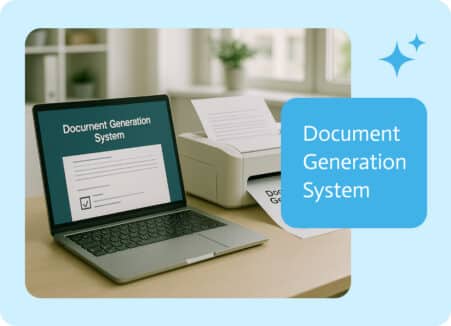
Online dating and document generation solution shopping are strangely similar. During the demo phase, everyone’s profile looks fantastic. They all claim to be “easy to…