


Brand Your Chatbot with Themes and Right-to-Left Layout
A chatbot is often one of the first things customers interact with on a website or app. It answers questions, guides visitors, and represents the business in every conversation.
That’s why the way a chatbot looks matters. A chatbot that matches the brand feels trustworthy and professional. One that looks generic or out of place can feel disconnected from the rest of the experience.
Themes make it easy to give a chatbot the right look. And for businesses that work in languages such as Hebrew or Arabic, right-to-left layout makes sure every conversation reads naturally.
What Can Be Customized?
A chatbot’s appearance is made up of several parts, and each one can be styled to match the brand.
Common customization options include:
- Brand color, used for buttons, highlights, and message bubbles
- Font, to match the website or app
- Corner radius, for a sharper or softer look
- Header, including the logo, logo shape, title, tagline, and online status indicator
- Message bubbles, for both the bot and the user
- Composer, the area where users type their messages
Starting with Presets
Not everyone wants to design a chatbot from scratch.
Presets offer ready-made styles that can be applied with a single click, for example:
- Classic, a familiar and clean look
- Soft, with rounded shapes and gentle colors
- Minimal, with a simple, distraction-free design
- Gradient, with a modern, colorful style
A preset can be used as it is, or as a starting point that’s adjusted to match the brand.
Keeping Text Readable
A brand color might look great on a logo but be hard to read when used behind text.
A contrast check helps make sure text stays readable against the chosen colors. This is important for accessibility, so the chatbot is easy to use for everyone, including people with visual impairments.
One Look Everywhere
A chatbot can appear in several places: in a preview while it’s being built, on a dedicated public chat page, and as a widget on a website.
Using the same theme in every place means users see a consistent experience, and what the builder sees in the preview is exactly what visitors will see.
Right-to-Left Layout
Languages such as Hebrew and Arabic are read from right to left. A chatbot designed only for left-to-right languages can feel awkward in these languages, with text, icons, and messages appearing on the wrong side.
Right-to-left layout solves this by:
- Mirroring the chatbot layout, so it reads naturally from right to left
- Detecting the direction of each message, so mixed-language conversations display correctly
- Detecting the direction of what the user types in the input field
- Using a fallback font when the chosen font doesn’t support the language’s letters
For example, a Hebrew chatbot might use a brand font that only includes English letters. Without a fallback font, Hebrew text could appear as missing characters. With a fallback, the text displays correctly while the rest of the design stays the same.
Generic vs. Branded Chatbot
| Generic chatbot | Branded chatbot | |
|---|---|---|
| Appearance | Default colors and fonts | Matches the brand |
| Consistency | Looks different from the site | Feels part of the site |
| Readability | Not checked | Contrast checked |
| Language support | Left to right only | Right-to-left support |
| User trust | May feel disconnected | Feels professional and familiar |
A Chatbot That Feels Like Yours
Every conversation with a chatbot is a conversation with the brand.
With presets, themes, and right-to-left support, chatbots can look professional, stay readable, and feel natural in every language.
Because a great chatbot should sound like your business, and look like it too.
Frequently Asked Questions
What parts of a chatbot can be customized with themes?
Chatbot themes can control the brand color used for buttons and message bubbles, the font, the corner radius, the header with the logo, title, tagline and online status, and the look of message bubbles.
Does the Noca chatbot support right-to-left languages?
Yes. Noca chatbots support a right-to-left layout for languages such as Hebrew and Arabic, so every conversation reads naturally in those languages.
Why does chatbot branding matter?
A chatbot is often one of the first things customers interact with. A chatbot that matches your website or app looks trustworthy and professional, while a generic one can feel disconnected from the rest of the experience.
Can an AI agent chatbot keep my branding across a website and apps?
Yes. You can apply the same theme to a Noca bot wherever it is published, whether as a widget on a website, embedded in an app or shared by public URL, so every conversation with your AI agent looks consistent.
Good news, workflow warriors and digital builders — this version is for you! We’ve got enhancements in flows, new features and upgrades in apps, smarter…

How to choose among document generation tools in 2026: categories, must-have features and the questions that separate simple tools from full platforms.
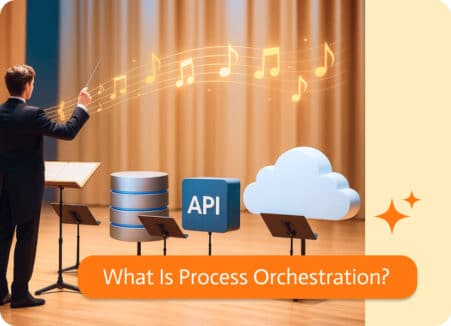
Think of process orchestration as the conductor of your business workflows. Instead of automating one isolated task (like sending an email when a form is…