

AI Meeting Preparation: Researching Attendees Automatically
AI meeting preparation automatically researches the people and companies you are meeting and combines that with your own CRM, support and billing history into a short brief delivered before the call.
What a good brief includes
- Who is attending, their roles and background.
- Company overview and recent news.
- Relationship history: deals, tickets, invoices.
- Open opportunities and risks.
- Suggested talking points.
How it works
- A meeting is booked or appears on the calendar.
- AI researches attendees and the company.
- The workflow pulls history from the CRM, helpdesk and ERP.
- A brief is generated and sent to Slack, Teams or email, and logged on the CRM record.
Tips
- Keep briefs short and scannable.
- Deliver them at a predictable time, such as the morning of the meeting.
- Let reps flag inaccurate information to improve results.
With Noca
Noca includes an AI meeting preparation step that finds information about attendees, plus data enrichment and website search. Combine it with Google Calendar or Calendly triggers, history from Salesforce and Zendesk, and delivery through Slack in a flow.
Frequently Asked Questions

What is AI meeting preparation?
It is using AI to research attendees and companies and combine that with internal history into a pre-meeting brief.
Where does the brief come from?
From public information gathered by AI and from your CRM, helpdesk and ERP records.
When is the brief delivered?
Typically on booking or on the morning of the meeting, by Slack, Teams or email.
What are the key elements of AI meeting preparation?
Key points include: Who is attending, their roles and background; Company overview and recent news; Relationship history: deals, tickets, invoices; Open opportunities and risks.
How do you get started with AI meeting preparation?
1) A meeting is booked or appears on the calendar 2) AI researches attendees and the company 3) The workflow pulls history from the CRM, helpdesk and ERP 4) A brief is generated and sent to Slack, Teams or email, and logged on the CRM record.
What else should you consider about AI meeting preparation?
Consider the following: Keep briefs short and scannable; Deliver them at a predictable time, such as the morning of the meeting; Let reps flag inaccurate information to improve results.
How does Noca help with AI meeting preparation?
Noca includes an AI meeting preparation step that finds information about attendees, plus data enrichment and website search. Combine it with Google Calendar or Calendly triggers, history from Salesforce and Zendesk, and delivery through Slack in a flow.
Can I use AI meeting preparation from ChatGPT, Claude or Grok?
Yes. With the Noca MCP Server, ChatGPT, Claude, Grok and other MCP-compatible assistants can run your published Noca flows and use Noca tools for AI meeting preparation, within the permission groups and per-tool approvals you set.
Does AI meeting preparation work with Salesforce, NetSuite, SAP and Priority?
Yes. Noca connects natively to Salesforce, NetSuite, SAP, SAP Business One, Priority ERP, HubSpot, monday.com and 60+ other systems, so AI meeting preparation can use live data from them and update them automatically.
Do I need developers to implement AI meeting preparation?
How do you keep AI meeting preparation secure?
Use least-privilege permissions, require approval for sensitive actions and keep a log of every run. Noca follows the TRAPS framework (Trusted, Responsible, Auditable, Private and Secure), records every flow run in integration logs and lets you control data storage for specific flows.
How long does it take to implement AI meeting preparation?
A first working version can often be built from a prompt and tested quickly. The total time depends on how many systems, approvals and documents are involved and how much testing your team requires before publishing.
How do I measure the results of AI meeting preparation?
Compare cycle time, manual steps, error rates and adoption before and after. Noca integration logs show how often each process runs, how long it takes and where it fails.
What is Noca?
Noca is an AI-powered business process automation platform that combines forms, document generation, e-signatures, workflow automation, AI agents and 60+ integrations, with an MCP server for ChatGPT, Claude and Grok.
Do I need to code to use Noca?
No. Noca builds apps, flows, bots and documents from plain-language prompts; developers can extend them with APIs and webhooks.
Is Noca secure?
Noca follows the TRAPS framework (Trusted, Responsible, Auditable, Private and Secure), with permissions, approvals and integration logs.
How is Noca different from Zapier?
Zapier connects apps with triggers and actions. Noca builds complete business processes, including forms, documents, signatures, apps and AI agents, with deep CRM and ERP integrations.
How can I try Noca?
Noca offers plans from a Free tier to Enterprise. See pricing or book a demo.
Does Noca have an MCP server?
Yes. The Noca MCP Server connects ChatGPT, Claude, Grok and other MCP-compatible assistants to your Noca workspace with 80 tools for apps, bots, flows, documents, connections and data.
Which permission groups does the Noca MCP Server use?
Tools are grouped into Builder, Data read, Data write and Admin. In your assistant, each tool can be set to always allow, needs approval or blocked, and destructive actions ask for confirmation.
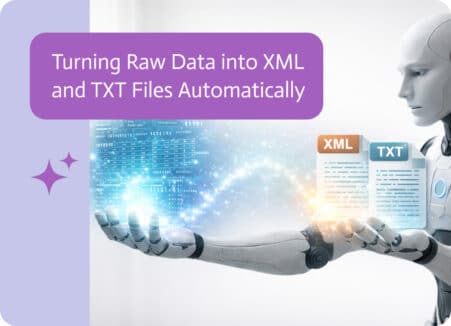
Data moves constantly between systems. Reports, integrations, imports, exports, APIs, and automated workflows all rely on structured files to pass information from one place to…
Connect Calendly to your CRM: create or update leads when meetings are booked, prepare briefs with AI and automate follow-up after the call.
Apply certificate-based digital signatures to invoices automatically as they are generated from your ERP, and deliver tamper-evident PDFs to customers.

Generate quotes, contracts and reports as PDFs from Salesforce records automatically, using Word templates, triggers, e-signatures and file storage.

Sync Shopify orders, customers and payments to NetSuite automatically: mapping, triggers, error handling, documents and notifications.