

SFTP Automation for ERP Data Exchange
SFTP automation picks up and delivers files on SFTP servers automatically and connects their contents to your ERP, so data exchange with partners, banks and legacy systems runs without manual uploads.
Common SFTP exchanges
- Supplier price lists and catalogs.
- Purchase orders and invoices with trading partners.
- Bank statements and payment files.
- Exports to legacy or reporting systems.
An automated SFTP flow
- On a schedule, check the SFTP folder for new files.
- Download and parse CSV, Excel or text files.
- Validate rows and split large files.
- Create or update records in the ERP.
- Move processed files to an archive folder.
- Report errors and notify the team.
Reliability tips
- Use consistent file naming with dates.
- Archive originals for audit.
- Make imports idempotent so re-running is safe.
- Alert on missing expected files, not just errors.
With Noca
Noca connects to FTP and SFTP servers, parses CSV, Excel and sliced files, encrypts and decrypts content, and updates NetSuite, SAP or Priority in scheduled flows, with every run logged.
Frequently Asked Questions

What is SFTP automation?
It is automatically picking up and delivering files on SFTP servers and processing their contents in business systems.
Can SFTP files update an ERP?
Yes. Noca parses files from SFTP and creates or updates ERP records.
How do I make file imports safe to re-run?
Design imports to be idempotent, for example by using unique keys and upserts.
What are the key elements of SFTP automation?
Key points include: Supplier price lists and catalogs; Purchase orders and invoices with trading partners; Bank statements and payment files; Exports to legacy or reporting systems.
How do you get started with SFTP automation?
1) On a schedule, check the SFTP folder for new files 2) Download and parse CSV, Excel or text files 3) Validate rows and split large files 4) Create or update records in the ERP 5) Move processed files to an archive folder.
What else should you consider about SFTP automation?
Consider the following: Use consistent file naming with dates; Archive originals for audit; Make imports idempotent so re-running is safe; Alert on missing expected files, not just errors.
How does Noca help with SFTP automation?
Noca connects to FTP and SFTP servers, parses CSV, Excel and sliced files, encrypts and decrypts content, and updates NetSuite, SAP or Priority in scheduled flows, with every run logged.
Can I use SFTP automation from ChatGPT, Claude or Grok?
Yes. With the Noca MCP Server, ChatGPT, Claude, Grok and other MCP-compatible assistants can run your published Noca flows and use Noca tools for SFTP automation, within the permission groups and per-tool approvals you set.
Does SFTP automation work with Salesforce, NetSuite, SAP and Priority?
Yes. Noca connects natively to Salesforce, NetSuite, SAP, SAP Business One, Priority ERP, HubSpot, monday.com and 60+ other systems, so SFTP automation can use live data from them and update them automatically.
Do I need developers to implement SFTP automation?
How do you keep SFTP automation secure?
Use least-privilege permissions, require approval for sensitive actions and keep a log of every run. Noca follows the TRAPS framework (Trusted, Responsible, Auditable, Private and Secure), records every flow run in integration logs and lets you control data storage for specific flows.
How long does it take to implement SFTP automation?
A first working version can often be built from a prompt and tested quickly. The total time depends on how many systems, approvals and documents are involved and how much testing your team requires before publishing.
How do I measure the results of SFTP automation?
Compare cycle time, manual steps, error rates and adoption before and after. Noca integration logs show how often each process runs, how long it takes and where it fails.
Can Noca automate workflows?
Yes. Noca Flows include triggers, conditions, loops, approvals, documents, signatures and AI steps.
What can trigger a Noca flow?
Can I see what each automation did?
Yes. Every flow run is recorded in integration logs with status, timing, errors and the step where it stopped.
What is Noca?
Noca is an AI-powered business process automation platform that combines forms, document generation, e-signatures, workflow automation, AI agents and 60+ integrations, with an MCP server for ChatGPT, Claude and Grok.
Do I need to code to use Noca?
No. Noca builds apps, flows, bots and documents from plain-language prompts; developers can extend them with APIs and webhooks.
Is Noca secure?
Noca follows the TRAPS framework (Trusted, Responsible, Auditable, Private and Secure), with permissions, approvals and integration logs.
How is Noca different from Zapier?
Zapier connects apps with triggers and actions. Noca builds complete business processes, including forms, documents, signatures, apps and AI agents, with deep CRM and ERP integrations.
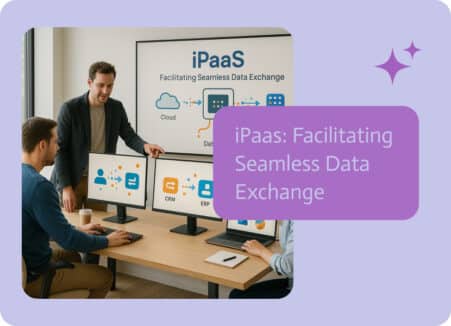
In today’s world, where everything’s linked up online, information is super important for businesses. Being able to easily share, combine, and keep data consistent between…

Automate Google Sheets: turn new rows into CRM leads or ERP orders, keep reports updated from Salesforce and NetSuite, and generate documents from rows.

SFTP is one of the most common ways businesses exchange files between systems. From invoices and reports to customer data and inventory updates, many…
File storage has a way of turning into a budget issue, especially when expensive systems become the default place to park documents long term. Salesforce…

SFTP is dependable and also stuck in a user experience time capsule. It works, but most teams still rely on a mix of clunky clients,…