

Release Notes – October, 2026
We’ve been busy making Noca faster, smarter, and easier to use. This release is packed with improvements, new capabilities, and a few little surprises to make your day better. Some you’ll notice right away, others will quietly make everything run smoother. Either way, we’ve been working hard so you don’t have to. Enjoy!
Flows
Features
- Table Data Grouping in Data Kit
Table-based data in the Data Kit is now grouped under a dedicated Table category instead of appearing alongside other input data. This makes it easier to identify table data at a glance and understand where it comes from.
Learn about Controlling Data Storage for Specific Flows in Integration Logs - New Split File Node
The new Split File node lets you break large CSV, TXT, or PDF files into smaller files based on a defined Part Size. Each part is created and saved as a separate file, making large files easier to process and manage in flows.
Read about Running Salesforce Flows from External Systems - Combine AND/OR Conditions in Table Action Mapping
Table Action mapping now support combining AND and OR conditions in the same filter setup. This gives you more flexibility when defining complex filtering logic for the table actions. - New Short URL Node
A new Short URL node is now available in Flows, allowing you to convert a long URL into a shorter one directly within the flow. This makes generated links easier to share and use in downstream actions. - New MS SQL Node
A new MS SQL node has been added to Flows, making it possible to connect to Microsoft SQL Server databases and use their data directly within flow-based processes. - New Bot API Node
A new Bot API trigger node has been added to Flows. It can start a flow from a bot conversation and pass conversation data into the flow, making it possible to save and use information collected during the chat.
Enhancements
- Faster Extract Document Table Processing
Improved the performance of the Extract Document Table action, reducing processing time when extracting table data from documents and making related flows run faster. - Temporary Data Source Flows No Longer Listed in My Flows
Queries run from data sources now use temporary flows that are automatically removed once the query is complete, so they no longer appear in the My Flows page. This prevents temporary query flows from accumulating in the system and keeps the Flows list cleaner. - Download Templates from Word Node Properties
In Flows, Word templates can now be downloaded directly from the Properties tab of a Word node. This makes it easier to access and review the template without leaving the node configuration. - Improved Email Content Editor in Flows
The email content editor in Flows Properties now includes improved formatting support, including RTL, right alignment, and HTML variable formatting such as \r\n, which is converted into proper line breaks in the email content. - Loop Actions Based on Excel Values
Flows now support reading values from a Specific Column and Row in an Excel file and using them directly in a Loop. For example, you can read value in the first column and second row, and and then loop by this value to send a slack message. - Loop Actions Based on Excel Values
Flows now support reading
Bugs
- Base64 Values Now Sent Correctly to Salesforce
Fixed an issue where Base64-encoded values were not reaching Salesforce when running a Create action. Encoded data is now passed correctly as part of the record creation process. - Flow File Processing Error
Fixed an issue that could cause an error when running a flow with a file. File-based flows now run correctly and process the file as expected. - Data Kit Matched Records Count
Fixed an issue in the Data Kit where the Match # of Records system field displayed 10 instead of the actual number of records returned. The field now updates correctly to reflect the real matched record count. - Manual Trigger Flow Execution Fix in Production
Fixed an issue where a flow using a Manual Trigger could fail to run in the Production environment even though the same flow worked correctly in Staging. - Contains and Not Contains combination in Condition
Fixed an issue where a specific condition combination using Contains together with Does Not Contain did not work as expected. - Condition Within Loop Execution
Fixed an issue where a Condition used inside a Loop element did not execute correctly. - Variable Value Not Received in Azure Mail Node in Loop
Fixed an issue where a variable value was not received by an Azure Mail node used inside a Loop. - Cleared Field Value Still Appearing in Test App with Data
Fixed an issue in Test App with Data option where a cleared field still showed the deleted value in the test result. - Loop Iterations Stop
Fixed an issue where sending multiple email attachments through a Loop could stop after the first iteration.
Apps
Features
- Hide CAPTCHA Badge in Published Apps
Published app forms now include a Hide CAPTCHA Badge option under Settings → Security. This lets you remove the visible Google CAPTCHA badge from the screen while keeping CAPTCHA protection active in the background. - Shorter Public URLs for Published Web Apps
Published web apps now automatically generate a short public URL in the Publish screen. This makes live app links easier to share, copy, and use without relying on long web app URLs. - OnBlur Event Added to App Builder
The OnBlur event has been added to the App Builder events list. It lets you trigger an action when a user finishes editing a field and moves away from it.
This can be used to check the field value, run an integration, and return updated information back to the app. - Unique Security Tokens for Integration Runs
Integration actions in published apps now run using a unique security token generated when the app loads. Each token has configurable usage limits and expiration settings, helping prevent excessive or unauthorized integration calls.
Default settings are 50 calls per token, a 30-minute token lifetime, and 100 calls per session per hour. These limits can be adjusted under Account Settings → Security. - Google reCAPTCHA v3 Support
Published apps now use Google reCAPTCHA v3 to provide an additional layer of protection against automated and suspicious activity, while keeping the experience seamless for users. - Added option to Duplicate Apps
Apps can now be duplicated directly from the App Builder menu as well as from the My Apps list. This makes it easier to create a copy of an existing app from whichever screen you are working in.
Enhancements
- Improved Web App Export/Import Functionality
Web apps can now be promoted directly between account environments without downloading and re-importing them.
Read more about Preventing Accidental Deletion of Flows Connected to Apps - Export Apps Directly from My Apps
Apps can now be exported directly from the My Apps screen, using the same export option available from within an app. This makes it quicker to export an app without needing to open it first.
Read more about Preventing Accidental Deletion of Flows Connected to Apps - Aligned Prompt Behavior Between MCP and App Builder
The App Builder chat has been updated to behave more consistently with MCP. When a request does not include every detail, it now avoids unnecessary guiding questions and moves forward based on the available information. - RTL Support for conversation in App Builder Prompt Chat
The App Builder chat now displays recorded messages in the correct right-to-left (RTL) direction when using Hebrew or other RTL languages, improving readability throughout the conversation. - RTL Support for conversation in App Builder Prompt Chat
The App
Bugs
- App Builder Logo Replacement Fix
Fixed an issue where a logo added through the App Builder chat prompt did not replace the existing logo in the app. Logo replacement now works correctly when updating an app through the chat.
Read more about Preventing Accidental Deletion of Flows Connected to Apps - Repeated Section Values in Word Generation Fix
Fixed an issue where values from a repeated section in an app were not passed correctly into Word document generation. - App Export and Duplication Fix
Fixed an issue that prevented apps from being exported or duplicated.
Find out more about Faster Form Loading and Data Updates for a Smoother User Experience - App Button Not Triggering Flow
Fixed an issue where an app button connected to a flow did not trigger the flow when clicked. - App Refresh Isolated to the Active Window
Fixed an issue where refreshing one app also affected and refreshed other apps open in separate browser windows. - Mobile Zoom View Stability
Fixed an issue where repeatedly zooming in and out on an app from a mobile device could cause the layout or view to break. - Field Value not Passing Multi-Page App
Fixed an issue in multi-page apps where some field values entered on earlier pages did not pass correctly to later pages.
Bots
Features
- Clickable Links in Bot Responses
Bots now support clickable links in their responses. When a Bot returns a URL, users can open it directly from the conversation instead of having to copy and paste the link manually. - xxx
Added a new Session Timeout (in Minutes) option under Bot Settings, allowing you to define how long a conversation can remain inactive before a new chat session is started. This gives you greater control over conversation duration and helps manage how Bots handle returning users after periods of inactivity.
Learn more about Managing Chatbot Session Timeouts
Enhancements
- xxx
When deleting a Flow that is connected to a Bot, Noca now shows a warning that the Flow is currently in use. This helps prevent accidental deletions that could affect active experiences. This warning was also added to Noca Apps.
Read more about Preventing Accidental Deletion of Flows Connected to Bots - xxx
Added an option to resume chatbot conversations that have already ended, allowing users to continue where they left off instead of starting a new conversation. This helps maintain conversation context and provides a smoother, more continuous chat experience.
Discover more about Resuming Chatbot Conversations Without Starting Over
Docs
Features
- xxx
You can now translate and customize the captions used in PDF signing processes, including buttons, instructions, and placeholders like “Sign Here” and “Next.”
Under Account > Sign Captions, simply select a language from the dropdown to automatically translate all captions. You can then review the translations and manually edit any caption to match your preferred wording or terminology.
Choose whether to apply your customized captions to all PDF signing processes in Noca or only to specific signing processes, giving you full control over the signing experience.
Learn more about Translating and Customizing PDF Signing Captions
Enhancements
- xxx
The Word Add-In now includes Force RTL and Align Right options for generated Hebrew documents (or other languages using RTL formatting ). These settings help correct cases where populated Hebrew text is not aligned properly or the document’s base reading direction is not set to right-to-left.
Learn more about Translating and Customizing PDF Signing Captions
Bugs
- xxx
The Word Add-In now includes Force RTL and Align Right options for generated Hebrew documents (or other languages using RTL formatting ). These settings help correct cases where populated Hebrew text is not aligned properly or the document’s base reading direction is not set to right-to-left.
Learn more about Translating and Customizing PDF Signing Captions
Platform
Features
- Total Credits Counter in Analytics Jobs
A Total Credits counter has been added to the Jobs section of the Analytics page, showing the total number of credits used for the selected time period. This makes it easier to monitor usage, understand consumption trends, and track credit costs without having to calculate them manually. - xxx
Added a new Live Flows, Apps & Bots section to the Dashboard, providing a quick overview of your live projects. View each project’s name, type, and last usage date and time. Last usage reflects actual end-user activity, such as submitting a form, interacting with a Bot, or triggering a Flow,
Read about Tracking Activity Across Your Live Apps, Bots, and Flows
Enhancements
- Integration Log UI Update
The Integration Log screen has been updated to better support how log information is displayed and used,
Find out Why Parallel Request Capacity Matters for High-Volume Automation - MCP Actions Column in Integration Logs
A new MCP Action column has been added to Integration Logs, making it easier to identify actions triggered through MCP and understand how they were executed. - Pagination Added to Analytics Job List
Pagination has been added to the Job List on the Analytics page, making it easier to browse through all jobs and access the complete list of results.
Bugs
- xxx
PromptGate has now been added to Noca’s integrations list, allowing data moving through Noca to pass through PromptGate’s security filters before reaching AI services. This adds an additional layer of protection and control for sensitive data used in AI-powered workflows.
Discover Why Microsoft Sign-In Matters for Business Applications - xxx
Added a new Live Flows, Apps & Bots section to the Dashboard, providing a quick overview of your live projects. View each project’s name, type, and last usage date and time. Last usage reflects actual end-user activity, such as submitting a form, interacting with a Bot, or triggering a Flow,
Read about Tracking Activity Across Your Live Apps, Bots, and Flows
MCP
Features
- Noca as MCP in Claude, ChatGPT, and Gemini
Noca can now be used as an MCP server from AI tools such as Claude, ChatGPT, and Gemini. This allows users to create, update, run, and work with Noca apps, flows, bots, and integrations directly through the AI chat experience. - MCP Responses Reflected in App Builder Chat
Responses and actions performed through MCP are now reflected in the App Builder chat, giving users a more complete and consistent conversation history across both MCP and the Builder. - MCP Support for Imported Flows
MCP now supports reading and working with flows that were imported from another environment. Imported flows can now be accessed correctly through the MCP chat, allowing them to be reviewed and used after moving between environments.
Discover Why Microsoft Sign-In Matters for Business Applications - Build and Configure Bots Through MCP
MCP now supports creating Bots directly through the chat, including setting up data sources and automations as part of the Bot configuration.
Read about Tracking Activity Across Your Live Apps, Bots, and Flows - MCP Support for Running Bots
MCP now supports running Bots directly from the MCP chat, making it possible to trigger and use existing Bots as part of the conversation. - MCP Support for Lookup Fields with OnType Live Search
MCP now supports creating app lookup fields with an OnType event, allowing a connected flow to run as the user types. This makes it possible to build live-search experiences, such as searching Salesforce Accounts based on the value entered in the lookup field. - MCP Support for Creating Apps from Uploaded HTML
MCP now supports creating Noca apps based on an HTML file uploaded to the conversation. The uploaded file can be used as a reference for the app structure and layout and functionality, making it easier to recreate existing app designs directly in Noca. - MCP Support for Setting Non-URL App Variables
MCP now knows how to set values for non-URL App Variables by using a Variable Action Set action in the flow. This allows app variables to be updated correctly when building or modifying apps through MCP. - MCP Support for OTP Response Parameters
MCP now supports using additional values returned in the API response after an OTP login. These values can be passed into the app and reused later as parameters throughout the app experience. - Support for viewing and Selecting Upload Folders
MCP now supports viewing and selecting destination folders for file uploads in integrations such as Google Drive and SharePoint. This makes it possible to choose the correct folder directly through MCP when creating or updating a flow.
Enhancements
- Support for Creating Flows with Loop Actions
MCP now supports creating flows that correctly place actions inside a Loop when requested. - Support for Adding Images to Apps
MCP now supports adding images directly to apps, whether they are used as a logo or placed elsewhere in the app layout. This makes it easier to include visual assets when creating or updating apps through MCP. - MCP Best-Match Object Detection
MCP can now better handle cases where the requested object name does not exactly match the name used in the connected environment. For example, if a prompt requests a Contact object but the environment uses Personal Contact, MCP will look for the closest matching object and use it when creating the requested flow or action. - MCP Support for Conditions in Priority App Creation
MCP now supports creating apps with Priority fields using specified conditions as part of the generated app flow. When a prompt includes a condition on Priority data, MCP can now set that condition correctly in the generated app flow.
Read about Tracking Activity Across Your Live Apps, Bots, and Flows - Improved Build Activity Visibility in MCP Chat
The MCP chat now provides clearer visibility into the actions being handled while an app or flow is being built. Users can see the sequence of build activities as they are processed, making it easier to understand what MCP is working on at each stage. - Consistent Field Tags for MCP Document Generation
Document generation through MCP now uses field tags that match the corresponding field names in the Data Kit. This makes mapping easier to understand and helps keep document templates and app data consistent. - Support for Flow Variable Creation
MCP now supports creating Flow Variables when building or updating flows, allowing variables to be defined and used directly through MCP.
Bugs
- Submit Button Event Creation
Fixed an issue where an app was created successfully through MCP, but the expected event was not created for the Submit button. Submit actions are now created correctly as part of the app setup.
Discover Why Microsoft Sign-In Matters for Business Applications - Word Document Mapping from Web Apps
Fixed an MCP issue that caused incorrect or incomplete mapping between web app data and Word document fields.
Read about Tracking Activity Across Your Live Apps, Bots, and Flows - EML File Attachment
Fixed an MCP issue that prevented an EML file from being attached correctly through chat. - DocRAG in Flow Creation
Fixed an MCP issue where a prompt requesting a flow to extract specific data from a file did not create the flow with the required DocRAG node. - Customer Search by Name in Priority
Fixed an issue where MCP failed to find a customer in Priority when searching by name. In addition the matching logic now handles case sensitivity correctly, improving the reliability of customer record searches. - Salesforce Flow Condition Setup
Fixed an issue where conditions in Salesforce flows were not created correctly. Conditions are now applied properly when building flows that depend on filtered Salesforce data. - Priority Customer Name Mapping
Fixed an issue where MCP could create a Priority customer flow but fail to map the customer name provided in the prompt. - MCP Empty Trigger Condition
Fixed an issue where MCP created a flow without the required trigger condition. - Data Not Passing in MCP Priority Flow
Fixed an issue where flows created through MCP with a Priority integration failed to pass the required data, even though the same flow worked when built manually. - Prompt History Sync
Fixed an issue where not all prompts used to create or update an app through MCP were documented in the App Builder chat. The Builder chat now reflects the full sequence of MCP prompts more accurately. - Priority Data Retrieval
Fixed an issue where MCP failed to retrieve records from Priority ERP, including requests such as showing a list of customers. - Prefix added to ID
Fixed an issue where an app created through MCP wrongfully added a text prefix to Salesforce Account IDs during create or update actions.

Using URLs as App References
Sometimes the easiest way to explain what you want is not to describe it from scratch. Very advanced product specification method. Surprisingly effective.
Learn more about: Using URLs as App References
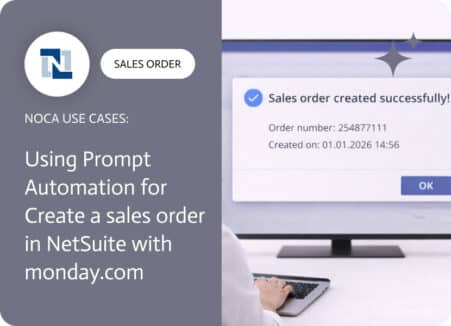
Create NetSuite Sales Orders with AI Automation
Knowing how to create a sales order in NetSuite is only half the job. The other half is making sure the moment it is created…
Learn more about: Create NetSuite Sales Orders with AI Automation
Back to top