

Patient Intake Automation: Forms and Documents for Healthcare
Patient intake automation replaces paper forms and manual data entry with digital forms, electronic consent and automated follow-up, so care teams spend less time on administration.
What can be automated
- Pre-visit intake forms with medical history and contact details.
- Consent forms with electronic signatures.
- Insurance card and ID capture with data extraction.
- Appointment reminders by SMS, WhatsApp or email.
- Generating summaries and documents for the care team.
An automated intake flow
- The patient receives a link to the intake form after booking.
- Answers are validated, and uploaded documents are read automatically.
- Consent forms are signed electronically.
- A summary document is generated for the care team.
- Missing information triggers reminders before the visit.
Privacy and security
Healthcare data is sensitive. Choose platforms with strong access controls, audit logs and control over where data is processed, and confirm compliance with the regulations that apply in your country.
With Noca
Noca builds intake forms with signatures, extracts data from uploaded documents with Amazon Textract, generates summaries with document generation, and sends reminders through Twilio, WhatsApp or email.
Frequently Asked Questions

What is patient intake automation?
It is the use of digital forms, e-signatures and workflows to collect patient information and consent before a visit.
Can consent forms be signed electronically?
Yes. Digital intake forms can capture signatures and generate signed PDFs.
Is patient intake automation secure?
It can be, with access controls, audit logs and data residency controls; confirm compliance with local healthcare regulations.
What are the key elements of patient intake automation?
Key points include: Pre-visit intake forms with medical history and contact details; Consent forms with electronic signatures; Insurance card and ID capture with data extraction; Appointment reminders by SMS, WhatsApp or email.
How do you get started with patient intake automation?
1) The patient receives a link to the intake form after booking 2) Answers are validated, and uploaded documents are read automatically 3) Consent forms are signed electronically 4) A summary document is generated for the care team 5) Missing information triggers reminders before the visit.
How does Noca help with patient intake automation?
Noca builds intake forms with signatures, extracts data from uploaded documents with Amazon Textract, generates summaries with document generation, and sends reminders through Twilio, WhatsApp or email.
Can I use patient intake automation from ChatGPT, Claude or Grok?
Yes. With the Noca MCP Server, ChatGPT, Claude, Grok and other MCP-compatible assistants can run your published Noca flows and use Noca tools for patient intake automation, within the permission groups and per-tool approvals you set.
Does patient intake automation work with Salesforce, NetSuite, SAP and Priority?
Yes. Noca connects natively to Salesforce, NetSuite, SAP, SAP Business One, Priority ERP, HubSpot, monday.com and 60+ other systems, so patient intake automation can use live data from them and update them automatically.
Do I need developers to implement patient intake automation?
No. In Noca you describe what you need in plain language and Noca builds the forms, apps, flows and documents. Developers can extend any process with REST APIs, OpenAPI definitions and webhooks.
How do you keep patient intake automation secure?
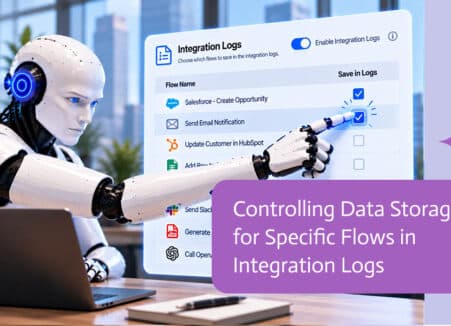
Use least-privilege permissions, require approval for sensitive actions and keep a log of every run. Noca follows the TRAPS framework (Trusted, Responsible, Auditable, Private and Secure), records every flow run in integration logs and lets you control data storage for specific flows.
How long does it take to implement patient intake automation?
A first working version can often be built from a prompt and tested quickly. The total time depends on how many systems, approvals and documents are involved and how much testing your team requires before publishing.
How do I measure the results of patient intake automation?
Compare cycle time, manual steps, error rates and adoption before and after. Noca integration logs show how often each process runs, how long it takes and where it fails.
Can Noca build forms from a prompt?
Yes. Noca builds forms and apps from a plain-language description, including fields, validation, conditional logic, uploads and signatures.
Can Noca forms capture signatures?
Yes. Noca forms include signature fields, and each submission can produce a signed PDF.
Can Noca forms use conditional logic?
Yes. Forms support show, hide, mandatory, optional, enable, disable, set value, reset, messages and redirects.
Can form submissions update Salesforce, HubSpot or NetSuite?
Yes. Submit flows can create and update records in CRMs and ERPs connected to Noca.
Can Noca generate documents?
Yes. Noca document generation fills Word templates and PDFs with live data, or creates an AI-generated PDF layout, and outputs DOCX or PDF files.
Can Noca use my existing Word templates?
Yes. Noca maps placeholders and sample values in your Word documents to data fields automatically.
Can Noca extract data from documents?
Yes. Noca uses Amazon Textract and Google Vision to extract text, key-value pairs, tables and signatures from documents.
Can Noca automate workflows?
Yes. Noca Flows include triggers, conditions, loops, approvals, documents, signatures and AI steps.

Google Forms is a perfectly serviceable way to collect information, and yes, you can export a CSV and upload it into Salesforce or whatever system…
Build intake forms where customers upload documents and AI extracts the data automatically, so fewer fields need to be typed and checked.
Comparing Formstack alternatives? Look at how forms, documents, e-signatures, ERP integrations, AI and workflows fit together in one platform.

The complete guide to using ChatGPT, Claude and Grok with forms, document generation, e-signatures and digital signatures through an MCP server.
Build AI agents that create forms, generate documents and collect signatures across your CRM and ERP, with permissions, approvals and logs.