

No-Code Automation Platforms for Enterprise: What to Look For
A no-code automation platform lets business teams build workflows and apps without writing code. In the enterprise, it also has to meet IT requirements for security, governance, integration depth and scale.
Enterprise requirements
- Deep integrations with ERP, CRM, HR and databases, including real-time triggers.
- Governance: roles, environments, versioning and approval of changes.
- Security: permission controls, audit logs and control over where data is processed.
- Reliability: error handling, retries and monitoring.
- Extensibility: APIs, webhooks and custom logic for developers.
Beyond workflows
Most processes need more than a workflow: a form or portal to start it, documents and signatures in the middle, and notifications at the end. Platforms that include forms, apps, documents and AI reduce the number of tools IT has to secure.
AI changes the definition of no-code
With AI, “no-code” increasingly means describing a process in plain language and reviewing what the platform builds. AI assistants can also build and run automations through MCP, so governance of AI access becomes part of platform selection.
Evaluation checklist
- List your top ten processes and the systems they touch.
- Check native connector coverage for each.
- Build one real process in a pilot.
- Review security, logs and permission models with IT.
- Assess how business users and developers will collaborate.
Noca for enterprise automation
Noca builds flows, apps, bots and AI agents from prompts, connects to 60+ systems, follows the TRAPS framework (Trusted, Responsible, Auditable, Private, Secure) and lets developers extend processes with APIs and webhooks. See the platform overview.
Frequently Asked Questions

What is a no-code automation platform?
It is software that lets non-developers build automated workflows and apps through visual tools or plain-language prompts.
Is no-code suitable for enterprise?
Yes, when the platform offers deep integrations, governance, security, monitoring and developer extensibility.
Can developers extend a no-code platform?
In Noca, developers can extend processes with REST APIs, OpenAPI definitions, webhooks and custom logic.
What are the key elements of a no-code automation platform?
Key points include: Deep integrations with ERP, CRM, HR and databases, including real-time triggers; Governance: roles, environments, versioning and approval of changes; Security: permission controls, audit logs and control over where data is processed; Reliability: error handling, retries and monitoring.
How do you get started with a no-code automation platform?
1) List your top ten processes and the systems they touch 2) Check native connector coverage for each 3) Build one real process in a pilot 4) Review security, logs and permission models with IT 5) Assess how business users and developers will collaborate.
How does Noca help with a no-code automation platform?
Noca builds flows, apps, bots and AI agents from prompts, connects to 60+ systems, follows the TRAPS framework (Trusted, Responsible, Auditable, Private, Secure) and lets developers extend processes with APIs and webhooks. See the platform overview.
Can I use a no-code automation platform from ChatGPT, Claude or Grok?
Yes. With the Noca MCP Server, ChatGPT, Claude, Grok and other MCP-compatible assistants can run your published Noca flows and use Noca tools for no-code automation platform, within the permission groups and per-tool approvals you set.
Does a no-code automation platform work with Salesforce, NetSuite, SAP and Priority?
Yes. Noca connects natively to Salesforce, NetSuite, SAP, SAP Business One, Priority ERP, HubSpot, monday.com and 60+ other systems, so no-code automation platform can use live data from them and update them automatically.
Do I need developers to implement a no-code automation platform?
No. In Noca you describe what you need in plain language and Noca builds the forms, apps, flows and documents. Developers can extend any process with REST APIs, OpenAPI definitions and webhooks.
How do you keep a no-code automation platform secure?
Use least-privilege permissions, require approval for sensitive actions and keep a log of every run. Noca follows the TRAPS framework (Trusted, Responsible, Auditable, Private and Secure), records every flow run in integration logs and lets you control data storage for specific flows.
How long does it take to implement a no-code automation platform?
A first working version can often be built from a prompt and tested quickly. The total time depends on how many systems, approvals and documents are involved and how much testing your team requires before publishing.
How do I measure the results of a no-code automation platform?
Compare cycle time, manual steps, error rates and adoption before and after. Noca integration logs show how often each process runs, how long it takes and where it fails.
Can Noca build forms from a prompt?
Yes. Noca builds forms and apps from a plain-language description, including fields, validation, conditional logic, uploads and signatures.
Can Noca forms capture signatures?
Yes. Noca forms include signature fields, and each submission can produce a signed PDF.
Can Noca forms use conditional logic?
Yes. Forms support show, hide, mandatory, optional, enable, disable, set value, reset, messages and redirects.
Can form submissions update Salesforce, HubSpot or NetSuite?
Yes. Submit flows can create and update records in CRMs and ERPs connected to Noca.
Can Noca automate workflows?
Yes. Noca Flows include triggers, conditions, loops, approvals, documents, signatures and AI steps.
What can trigger a Noca flow?
Can I see what each automation did?
Yes. Every flow run is recorded in integration logs with status, timing, errors and the step where it stopped.
What is Noca?
Noca is an AI-powered business process automation platform that combines forms, document generation, e-signatures, workflow automation, AI agents and 60+ integrations, with an MCP server for ChatGPT, Claude and Grok.
In today’s dynamic business landscape, HR departments face immense pressure to optimize operations, enhance employee experience, and boost overall efficiency. HR automation is crucial for…
As digital giving continues to grow, nonprofits are increasingly relying on online platforms to collect donations quickly, securely, and from supporters around the world. Modern…
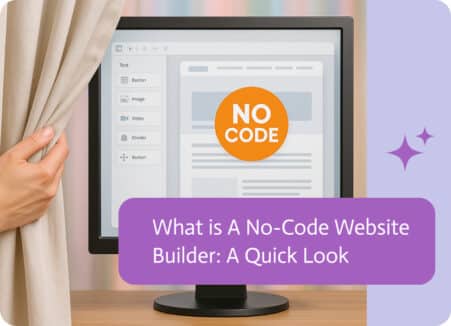
Remember when getting a website up and running felt like climbing a mountain? Back then, your choices basically boiled down to two tricky options. First,…

We have to say something about Monday.com. It feels so good when you click the little gray “Working on it” box and change it to…
Please take a moment of silence for the “Old Salesforce.” You know the one I’m talking about. That tab in your browser that stays open…