

MCP vs API: What Is the Difference for Business Automation?
An API is an interface that lets software call another application programmatically, while MCP (Model Context Protocol) is a standard that lets AI assistants discover and use tools on their own. MCP does not replace APIs. In most cases, an MCP server sits on top of existing APIs and makes them usable by AI models such as ChatGPT, Claude and Grok.
How APIs work
APIs expose endpoints that developers call with code. Each API has its own authentication, data format and documentation. To connect two systems, a developer writes an integration that knows exactly which endpoints to call and in what order.
How MCP works
An MCP server publishes a list of tools with plain-language descriptions and structured inputs. An AI assistant reads that list, decides which tool fits the user request, fills in the inputs and calls it. The assistant does not need custom code for each system; it only needs to understand the tool descriptions.
Key differences
- Audience: APIs are for developers; MCP is for AI models and the people using them.
- Discovery: API users read documentation; MCP clients discover tools automatically.
- Integration effort: APIs require code per integration; an MCP server is added to an assistant with a URL.
- Decision making: with APIs, the developer decides the sequence; with MCP, the assistant chooses tools based on the request.
- Governance: MCP servers add permissions and approvals designed for AI use.
When to use each
- Use APIs for fixed, high-volume integrations between systems, such as nightly data syncs.
- Use MCP when people should be able to ask an AI assistant to look something up or complete a task across systems.
- Use both: build reliable processes on APIs and expose them to AI assistants through MCP.
How Noca combines APIs and MCP
Noca connects to business systems through native connectors and REST APIs, OpenAPI and webhooks, and builds them into flows. The Noca MCP Server then exposes those flows, apps and data to ChatGPT, Claude and Grok with permission groups and approvals. Noca can also act as an MCP client and use external MCP servers inside its own flows and bots.
Frequently Asked Questions

Is MCP replacing APIs?
No. MCP usually runs on top of APIs. It adds a standard way for AI assistants to discover and use those capabilities.
Do I need an API to build an MCP server?
Most MCP servers call existing APIs or services underneath. Platforms like Noca handle this for you, so you do not need to build the server yourself.
Is MCP more secure than an API?
Security depends on the implementation. A business MCP server should add permission groups, approvals for sensitive actions and audit logs on top of API authentication.
Can one MCP server connect to many systems?
Yes. The Noca MCP Server gives AI assistants access to processes across Salesforce, NetSuite, SAP, Priority and 60+ other systems through one connection.
What is MCP vs API?
An API is an interface that lets software call another application programmatically, while MCP (Model Context Protocol) is a standard that lets AI assistants discover and use tools on their own.
What are the key elements of MCP vs API?
Key points include: Audience: APIs are for developers; MCP is for AI models and the people using them; Discovery: API users read documentation; MCP clients discover tools automatically; Integration effort: APIs require code per integration; an MCP server is added to an assistant with a URL; Decision making: with APIs, the developer decides the sequence; with MCP, the assistant chooses tools based on the request.
What else should you consider about MCP vs API?
Consider the following: Use APIs for fixed, high-volume integrations between systems, such as nightly data syncs; Use MCP when people should be able to ask an AI assistant to look something up or complete a task across systems; Use both: build reliable processes on APIs and expose them to AI assistants through MCP.
How does Noca help with MCP vs API?
Noca connects to business systems through native connectors and REST APIs, OpenAPI and webhooks, and builds them into flows. The Noca MCP Server then exposes those flows, apps and data to ChatGPT, Claude and Grok with permission groups and approvals. Noca can also act as an MCP client and use external MCP servers inside its own flows and bots.
Can I use MCP vs API from ChatGPT, Claude or Grok?
Yes. With the Noca MCP Server, ChatGPT, Claude, Grok and other MCP-compatible assistants can run your published Noca flows and use Noca tools for MCP vs API, within the permission groups and per-tool approvals you set.
Does MCP vs API work with Salesforce, NetSuite, SAP and Priority?
Yes. Noca connects natively to Salesforce, NetSuite, SAP, SAP Business One, Priority ERP, HubSpot, monday.com and 60+ other systems, so MCP vs API can use live data from them and update them automatically.
Do I need developers to implement MCP vs API?
How do you keep MCP vs API secure?
Use least-privilege permissions, require approval for sensitive actions and keep a log of every run. Noca follows the TRAPS framework (Trusted, Responsible, Auditable, Private and Secure), records every flow run in integration logs and lets you control data storage for specific flows.
How long does it take to implement MCP vs API?
A first working version can often be built from a prompt and tested quickly. The total time depends on how many systems, approvals and documents are involved and how much testing your team requires before publishing.
How do I measure the results of MCP vs API?
Compare cycle time, manual steps, error rates and adoption before and after. Noca integration logs show how often each process runs, how long it takes and where it fails.
Does Noca have an MCP server?
Yes. The Noca MCP Server connects ChatGPT, Claude, Grok and other MCP-compatible assistants to your Noca workspace with 80 tools for apps, bots, flows, documents, connections and data.
Which permission groups does the Noca MCP Server use?
Tools are grouped into Builder, Data read, Data write and Admin. In your assistant, each tool can be set to always allow, needs approval or blocked, and destructive actions ask for confirmation.
Can AI assistants read CRM and ERP data through Noca?
Yes. The read-only query_records tool reads records from Salesforce, Priority, SAP Business One, Microsoft Dynamics 365 and Microsoft SQL Server without building a flow.
Can AI assistants change data in my systems through Noca?
Yes, by running published Noca flows with the run_flow tool, which requires the Data write group. The flow keeps your validation and mapping, and you can require approval for each run.
Is Noca also an MCP client?
Can Noca automate workflows?
Yes. Noca Flows include triggers, conditions, loops, approvals, documents, signatures and AI steps.
Spreadsheet reporting tends to show up wherever sales orders need fast operational review. Teams want a simple feed of new orders for tracking, exceptions, and…
The moment you start using the monday CRM API, it usually means one thing: monday.com has become a real system of record for part of…
Simply put, an API is an intermediary, a courier, and, in this case, a decoder that fosters communication between two different software programs. Have you…
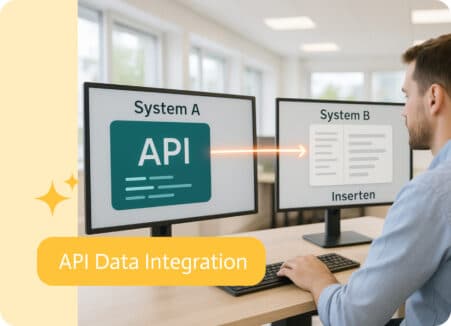
Essentially, what it does is take your request, passes it to the right system, and delivers the response, all without showing you the behind-the-scenes chaos….
The modern office is buzzing with talk of digital colleagues. From automating boring jobs to orchestrating complex business outcomes, software is rapidly taking on roles…