

MCP Tools for Document Workflows Explained
MCP document tools let AI assistants set up and run document workflows: preparing templates, placing fields, generating layouts and running the flows that produce, sign and store documents. Here are the document-related tools in the Noca MCP Server.
Template tools
instrument_word_template: turns a Word document into a template, putting a field on every placeholder or sample value and mapping it to flow data.place_pdf_fields: finds form fields on a plain PDF, places them and maps them for filling or signing.generate_pdf_layout: creates an AI-generated PDF layout from data with no template file.set_node_template: attaches an uploaded template to a document step.
File tools
request_app_filesandwait_for_app_files: show an upload card and wait for the file.upload_app_fileandset_flow_file: stage and store files for flows.
Running document flows
run_flow: runs a published flow, for example “generate and send the quote” (Data write).list_runsandget_run: check what happened (Data read).
A typical session
- Upload a contract template in the chat.
- Ask the assistant to map it to your CRM fields.
- Ask it to add a PDF conversion and signature step.
- Test, then have an admin publish.
- From then on, ask for contracts in plain language.
See the full Noca MCP tools reference and document generation.
Frequently Asked Questions

Which MCP tools handle documents in Noca?
instrument_word_template, place_pdf_fields, generate_pdf_layout and set_node_template, plus file tools and run_flow for generation.
Which permission group do template tools need?
Builder. Running flows needs Data write.
Can AI create a PDF without a template?
Yes, with generate_pdf_layout.
What are MCP document tools?
MCP document tools let AI assistants set up and run document workflows: preparing templates, placing fields, generating layouts and running the flows that produce, sign and store documents.
What are the key elements of MCP document tools?
Key points include: instrument_word_template: turns a Word document into a template, putting a field on every placeholder or sample value and mapping it to flow data; place_pdf_fields: finds form fields on a plain PDF, places them and maps them for filling or signing; generate_pdf_layout: creates an AI-generated PDF layout from data with no template file; set_node_template: attaches an uploaded template to a document step.
How do you get started with MCP document tools?
1) Upload a contract template in the chat 2) Ask the assistant to map it to your CRM fields 3) Ask it to add a PDF conversion and signature step 4) Test, then have an admin publish 5) From then on, ask for contracts in plain language.
Can I use MCP document tools from ChatGPT, Claude or Grok?
Yes. With the Noca MCP Server, ChatGPT, Claude, Grok and other MCP-compatible assistants can run your published Noca flows and use Noca tools for MCP document tools, within the permission groups and per-tool approvals you set.
Do MCP document tools work with Salesforce, NetSuite, SAP and Priority?
Yes. Noca connects natively to Salesforce, NetSuite, SAP, SAP Business One, Priority ERP, HubSpot, monday.com and 60+ other systems, so MCP document tools can use live data from them and update them automatically.
Do I need developers to implement MCP document tools?
How do you keep MCP document tools secure?
Use least-privilege permissions, require approval for sensitive actions and keep a log of every run. Noca follows the TRAPS framework (Trusted, Responsible, Auditable, Private and Secure), records every flow run in integration logs and lets you control data storage for specific flows.
How long does it take to implement MCP document tools?
A first working version can often be built from a prompt and tested quickly. The total time depends on how many systems, approvals and documents are involved and how much testing your team requires before publishing.
How do I measure the results of MCP document tools?
Compare cycle time, manual steps, error rates and adoption before and after. Noca integration logs show how often each process runs, how long it takes and where it fails.
Does Noca have an MCP server?
Yes. The Noca MCP Server connects ChatGPT, Claude, Grok and other MCP-compatible assistants to your Noca workspace with 80 tools for apps, bots, flows, documents, connections and data.
Which permission groups does the Noca MCP Server use?
Tools are grouped into Builder, Data read, Data write and Admin. In your assistant, each tool can be set to always allow, needs approval or blocked, and destructive actions ask for confirmation.
Can AI assistants read CRM and ERP data through Noca?
Yes. The read-only query_records tool reads records from Salesforce, Priority, SAP Business One, Microsoft Dynamics 365 and Microsoft SQL Server without building a flow.
Can AI assistants change data in my systems through Noca?
Yes, by running published Noca flows with the run_flow tool, which requires the Data write group. The flow keeps your validation and mapping, and you can require approval for each run.
Is Noca also an MCP client?
Can Noca generate documents?
Yes. Noca document generation fills Word templates and PDFs with live data, or creates an AI-generated PDF layout, and outputs DOCX or PDF files.
Can Noca use my existing Word templates?
Yes. Noca maps placeholders and sample values in your Word documents to data fields automatically.
Can Noca extract data from documents?
Yes. Noca uses Amazon Textract and Google Vision to extract text, key-value pairs, tables and signatures from documents.

Managing multiple documents is a common challenge in any automated workflow. Whether you are collecting receipts, compiling reports, or organizing legal filings, fragmented files can…
Use Grok with an MCP server to work with business systems from chat. How it works, what you can automate and how to keep it secure.
Picture this, it’s 4:47 PM on a Friday, and you’ve just realized you need to send out 50 personalized proposals by end of day. You’re…

Having a strong brand identity is crucial for success, as well as having a detailed logo will serve as the foundation of your company. Normally,…
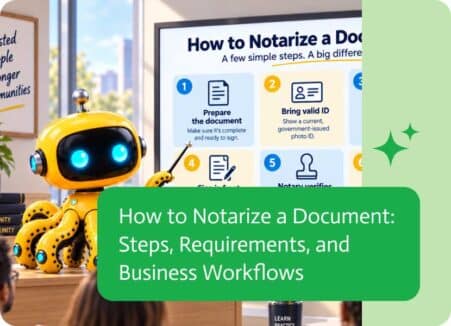
To notarize a document means having a notary public verify the identity of the signer and complete the required notarial process.Notarization is commonly used for…