


Integrating SAP Business One with Hebrew Metadata
Noca Integration Platform: integration platform (iPaaS) you can set up from a plain-language prompt, connected to your CRM, ERP and other systems. Free plan available.
SAP Business One is widely used by businesses in Israel, and many of them set up their system in Hebrew. Field descriptions, user-defined fields, user-defined tables, and list values are often named in Hebrew, so they’re clear to the people who work with them every day.
That works well inside SAP Business One. But when the system is connected to other tools, such as automated workflows, business apps, or document generation, Hebrew metadata can cause problems if the integration expects English names only.
Full support for Hebrew metadata makes sure fields and values defined in Hebrew are recognized, displayed, and used correctly across every integration.
What Is Metadata in SAP Business One?
Metadata describes the structure of the data in SAP Business One, rather than the data itself.
It includes:
- Field names and descriptions
- User-defined fields added to standard objects, such as business partners, items, and documents
- User-defined tables created for business-specific data
- Valid values for dropdown fields, such as statuses or categories
- Object and table descriptions
Integrations rely on this metadata to understand which fields exist, what they mean, and how data should be mapped between systems.
Why Hebrew Metadata Causes Integration Problems
When an integration doesn’t fully support Hebrew, metadata defined in Hebrew may not be handled correctly.
Common issues include:
- Hebrew field names that appear as unreadable characters or question marks
- User-defined fields that are missing from the list of available fields
- Dropdown values that can’t be matched or selected
- Fields that are hard to identify because their descriptions don’t display
- Mapping errors that cause data to be saved in the wrong place
For example, a company might add a user-defined field to business partners with a Hebrew description for the customer’s branch. If the integration can’t read that description, the field may be impossible to find when mapping data from a form or another system.
What Full Hebrew Metadata Support Means
With full support for Hebrew metadata, an integration can:
- Read and display Hebrew field names and descriptions correctly
- Recognize user-defined fields and tables defined in Hebrew
- Show Hebrew dropdown values and map them accurately
- Send and receive Hebrew data without corrupting characters
- Let users search for fields using their Hebrew names
This means users can work with SAP Business One in the same language they use every day, without translating field names or relying on technical field codes.
Common Use Cases
Hebrew metadata support is useful in many SAP Business One integrations:
- Forms and apps that create business partners or sales documents
- Workflows that update items, orders, or invoices
- Document generation that uses Hebrew field descriptions and values
- Syncing data between SAP Business One and a CRM
- Reports and exports that include user-defined fields
- Chatbots that look up customer or order information
For example, a sales order app might include a Hebrew dropdown for delivery type. With Hebrew metadata support, the dropdown shows the same values defined in SAP Business One, and the selected value is saved correctly.
Without and With Hebrew Metadata Support
| Without Hebrew support | With Hebrew support | |
|---|---|---|
| Field names | Unreadable or missing | Displayed correctly |
| User-defined fields | May not be recognized | Fully available |
| Dropdown values | Hard to match | Mapped accurately |
| Finding fields | Requires technical codes | Search by Hebrew name |
| Data accuracy | Risk of mapping errors | Data saved in the right place |
Tips for Working with Hebrew Metadata
A few practices help keep integrations clear and reliable:
- Use clear, consistent Hebrew descriptions for user-defined fields
- Avoid giving different fields very similar descriptions
- Keep dropdown values consistent across objects
- Refresh the integration’s metadata after adding or changing fields in SAP Business One
- Test mappings with real Hebrew data before going live
Working in Your Own Language
Business systems should reflect the way people actually work, including the language they use.
With full Hebrew metadata support, SAP Business One integrations can recognize every field and value defined in Hebrew, making them easier to build, easier to understand, and more accurate.
Because integrations work best when they speak the same language as your business.
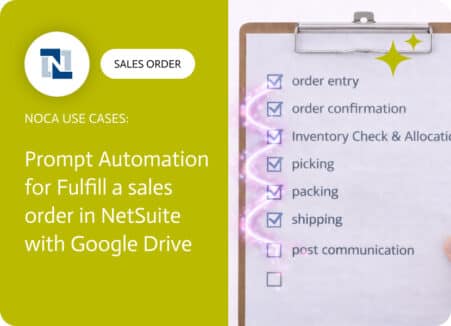
How to fulfill a sales order in NetSuite usually comes down to two things: the operational steps in the ERP and the documents that prove…

Build companion apps for monday.com with AI: client portals, intake forms and field apps that create and update monday.com items.
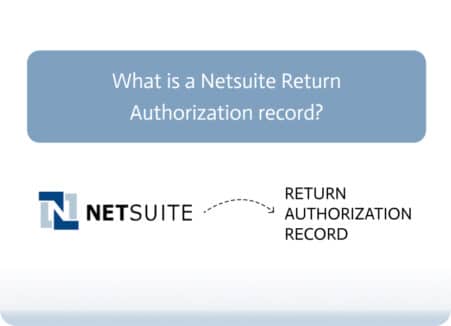
Return Authorization in NetSuite is a crucial record that allows businesses to manage returns from customers efficiently. This blog will cover how Return Authorization is…