


What an IT Team Should Check Before Connecting AI to a Legacy ERP
Legacy ERP systems often contain some of the most important information in a business.
They may manage inventory, purchasing, suppliers, orders, finance and operational processes that have been running for years.
That also makes them attractive targets for AI integration.
An AI system that can interact with an ERP may help employees retrieve information faster, identify exceptions and automate repetitive processes.
But connecting AI to a legacy ERP requires more planning than simply adding an API connection.
Start With the ERP’s Actual Architecture
Before connecting AI, the IT team needs to understand how the ERP works.
Questions include:
- What version of the ERP is being used?
- Which APIs are available?
- Are there custom integrations?
- Which databases contain the relevant information?
- Which processes depend on scheduled jobs?
- Which actions require specific permissions?
- Are there existing middleware or integration layers?
A system may appear modern from the user’s perspective while still relying on older technical components underneath.
Understanding that architecture is the first step.
Identify What AI Actually Needs to Access
AI does not automatically need access to the entire ERP.
In fact, broad access can create unnecessary security and operational risks.
A purchasing assistant may need inventory, supplier and purchase order information.
It may not need access to payroll or confidential financial records.
The IT team should therefore map the required information before designing the connection.
A useful question is:
What is the minimum data and access required for this specific use case?
That keeps the integration focused.
Separate Reading From Taking Action
This distinction is particularly important with legacy ERP systems.
There is a major difference between asking:
“Which products are below their minimum stock level?”
and:
“Create purchase orders for these products.”
The first request retrieves information.
The second changes the business system.
For an initial implementation, organisations may choose to give AI read access first.
Once the system has demonstrated reliable performance, selected actions can be introduced with appropriate approval controls.
Protect Existing ERP Business Rules
Legacy does not necessarily mean simple.
An ERP may contain years of business logic.
Purchasing may have approval thresholds. Certain customers may have specific pricing rules. Financial transactions may require authorisation. Inventory processes may depend on established workflows.
AI should not bypass these controls simply because it has technical access to the system.
A better architecture allows AI to work through defined integration points while the ERP remains responsible for the underlying business rules.
A simplified model is:
Employee → AI → Integration Layer → ERP → Business Process → AI Response
The integration layer can control what the AI is allowed to request and which actions are permitted.
Check Data Quality Before Connecting AI
AI cannot compensate for unreliable ERP data.
If the system contains duplicate products, outdated supplier records or inaccurate inventory information, the AI will be working from those inputs.
Before implementation, IT and business teams should review:
- Duplicate records.
- Missing fields.
- Outdated supplier information.
- Inconsistent naming.
- Incorrect inventory values.
- Conflicting information between systems.
This does not mean every ERP database must be perfect before AI can be introduced.
It means the business should understand where the data is reliable and where limitations exist.
Security and Logging Matter
ERP systems often contain commercially sensitive information.
The integration should therefore support controlled access and appropriate logging.
Businesses should be able to determine:
- Who requested information.
- What information was accessed.
- Which system was queried.
- What action was requested.
- Whether the action was completed.
- Whether human approval was required.
This becomes particularly important when AI is allowed to interact with operational systems rather than simply answer questions.
Test the Integration Outside Production
A legacy ERP should not become the testing environment for an AI agent.
Where possible, IT teams should use a development, testing or staging environment.
Testing should include normal requests as well as unexpected conditions.
For example:
What happens when a customer does not exist?
What happens when a required field is missing?
What happens when the AI requests an action that the user is not authorised to perform?
What happens when the ERP is temporarily unavailable?
These scenarios reveal problems that a successful demonstration may not expose.
Introduce Automation Gradually
A practical rollout can happen in stages.
Stage 1: AI retrieves ERP information.
Stage 2: AI analyses information and provides recommendations.
Stage 3: AI prepares actions for human approval.
Stage 4: Selected low-risk actions are automated.
This approach gives the organisation time to evaluate accuracy, security and operational impact before increasing autonomy.
The Goal Is Not to Replace the ERP
AI integration should not be treated as an attempt to replace an existing ERP.
The ERP remains the system of record for the processes it manages.
The opportunity is to add a more flexible interface and intelligent automation layer around it.
Employees can ask questions in natural language, receive information from existing ERP data and potentially initiate approved workflows without manually navigating through multiple screens.
For businesses evaluating this type of project, ERP Integration provides a relevant starting point for understanding how AI can connect with existing enterprise systems.
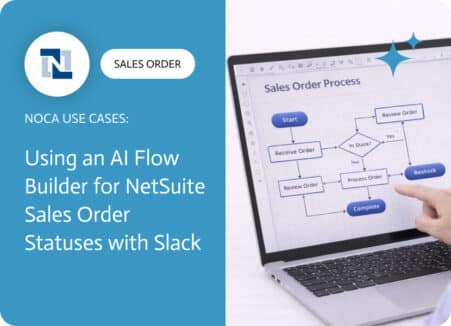
A NetSuite sales order approval workflow exists to protect margins, reduce risk, and prevent avoidable downstream work. Approvals catch discount exceptions, unusual terms, non standard…
Starting the new year with enhancements in Noca Apps. Enjoy! Apps Enhancements
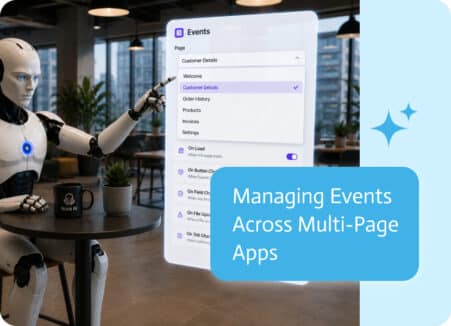
As applications grow, so does the number of pages and the events attached to them. Buttons, forms, page loads, and user actions can each trigger…