


AI Flow Builder for Google Sheets Integrations
Google Sheets is often used as a quick capture layer, even in teams that ultimately need the data in Salesforce or a different platform in their tech stack. The catch is that once the sheet becomes the entry point, someone usually has to re enter the same information elsewhere or build a fragile workaround to keep systems aligned. An AI flow builder removes that manual step by treating a new row as a trigger and moving the data into the right system automatically.
The use case is a lead capture workflow where a sales rep can add lead details to a Google Sheet while on the go, and the system handles the downstream record creation in the background. Each time a lead is written into the sheet, Noca detects the new entry and creates a corresponding lead record in Salesforce, or routes the data into another destination if that is where your process runs. In the demo, a lead is added to the sheet, the flow triggers immediately, and Salesforce shows the new lead record ready for follow up. If you are searching for Google Sheets to Salesforce automation, spreadsheet lead capture, or prompt automation that creates CRM leads from a sheet, this workflow covers the core need without forcing people to change how they capture information.
In Noca, you can build this with prompt to flow or assemble it in the visual builder if you want tighter field control. The trigger is a new row added event in Google Sheets, with conditions that can validate required fields, prevent duplicate creation, or ignore partial rows while someone is still typing. Mapping connects the sheet columns to destination fields, like name, email, company, phone, lead source, and notes, then the destination action creates or updates the record in Salesforce or another system in your stack. Routing can handle exceptions, like sending questionable rows to review, posting a Slack alert when a high value lead appears, or branching logic based on region or product interest. This is prompt automation that stays reliable because the trigger, conditions, mapping, destination action, and routing are explicit.
The outcome is cleaner lead intake with less manual effort and fewer missed details, while still allowing teams to use a simple sheet as the front end. Your downstream system stays current, follow up can happen faster, and the sheet stops becoming a parallel system that needs constant cleanup. To learn more about Noca, visit https://noca.ai/ and explore prompt to flow at https://noca.ai/prompt-to-flow/ .

Two platforms walk into a bar, one says, “I’ll make your app while you drink your coffee.” One says, “From your browser, I’ll teach you…
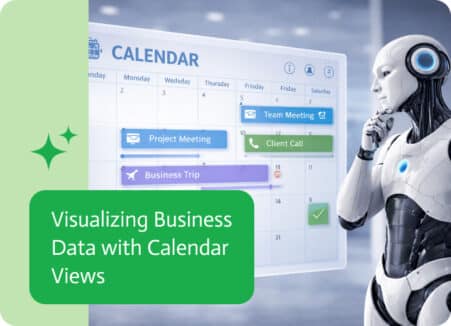
In many organizations, important business activities are closely tied to time. Sales meetings, project milestones, customer follow-ups, delivery schedules, and financial events all happen on…