


The Hidden Cost of Running CRM and ERP as Separate Silos
Most businesses do not run on a single system.
Sales teams may work in a CRM such as Salesforce or Monday, while finance, purchasing and operations depend on an ERP. Customer support may use another platform, and communication may happen through email or messaging tools.
Each system can work perfectly on its own.
The problem starts when a business process crosses the boundaries between them.
This is where disconnected CRM and ERP environments can create a hidden operational cost.
The Problem Is Often Between the Systems
Consider a simple customer journey.
A salesperson creates an opportunity in the CRM. The customer accepts the proposal. Finance needs to create the relevant records in the ERP. Operations then needs information about the order.
If these systems are not connected, employees may need to transfer information manually.
That can involve copying customer details, checking product information, updating statuses and confirming that the second system reflects what happened in the first.
The individual task may take only a few minutes.
Repeated hundreds of times, it becomes a significant operational process.
Manual Data Transfer Creates More Than Labor Costs
The obvious cost is employee time.
Suppose a company processes 60 transactions each week and employees spend 12 minutes transferring information between systems.
That equals 12 hours of manual work every week.
But time is only part of the problem.
Manual transfer also creates opportunities for errors.
A customer name can be entered incorrectly. A product code can be copied incorrectly. A sales status may not be updated. An employee may forget to transfer information altogether.
These errors can then affect downstream processes.
The business may eventually spend more time identifying and correcting the problem than it originally spent entering the information.
Employees Become the Integration Layer
When systems are disconnected, people often become the bridge between them.
An employee may need to:
- Open the CRM.
- Find the customer.
- Check the latest opportunity.
- Open the ERP.
- Search for the same customer.
- Compare information.
- Copy relevant fields.
- Update the ERP.
- Return to the CRM.
- Confirm that the process is complete.
The software systems have not necessarily failed.
The problem is that the workflow depends on a person coordinating them manually.
AI Can Add an Intelligent Layer Between Systems
Traditional integration can move information automatically between predefined systems.
AI can add another capability: understanding what the information means and determining which approved step should happen next.
For example, when an opportunity changes to a specific stage, an AI-powered workflow could retrieve the relevant customer information, identify the required ERP action and prepare the next step.
This becomes particularly useful when the process involves interpretation rather than simple field-to-field copying.
An agent might need to determine whether a customer already exists, identify missing information or decide which workflow applies based on business rules.
CRM and ERP Integration Is About Context
One of the biggest limitations of treating systems as isolated silos is that employees often need information from both.
A salesperson may ask:
“Has this customer paid the invoice for the order we discussed?”
The CRM may contain the opportunity and customer history.
The ERP may contain the invoice and payment status.
Neither system alone necessarily contains the complete answer.
A connected workflow can bring the relevant information together without requiring the employee to manually search both systems.
This is particularly relevant for businesses using platforms such as Salesforce, Monday and Priority, where customer and operational processes often overlap.
Not Every Process Should Be Fully Automated
Connecting systems does not mean giving AI unlimited authority.
A better approach is to separate information retrieval from actions.
For example:
| Activity | Possible approach |
| Retrieve customer information | Automatic |
| Prepare an internal summary | Automatic |
| Suggest an ERP update | Review recommended |
| Create a transaction | Approval required |
| Change sensitive financial information | Human control |
The exact rules depend on the organisation and the process.
The important point is that integration should preserve existing business controls rather than bypass them.
Measuring the Cost of Silos
Businesses can identify their biggest integration opportunities by measuring the current workflow.
Useful questions include:
- How many manual steps are involved?
- How many systems are involved?
- How often does the process happen?
- How much time does each transaction take?
- How frequently do errors occur?
- How much time is spent checking or correcting information?
These measurements turn a vague automation idea into a business case.
Integration Should Reduce Friction
CRM and ERP systems remain valuable because they provide structured information and established processes.
The goal is not necessarily to replace them.
The greater opportunity is to make them work together more effectively.
By connecting business information and approved workflows, companies can reduce manual coordination while allowing employees to spend more time acting on information rather than moving it between systems.
For organisations exploring this approach, CRM Integration is relevant to understanding how CRM and ERP environments can work together as part of an AI-enabled workflow.

Remember when building software meant living inside a code editor, praying your integration didn’t implode right before a demo? Those days are fading fast. We’ve…
You’ve finally hired that new employee. Cheers, confetti and cake for you. After the celebration is over, though, the real work starts. Setting them up,…
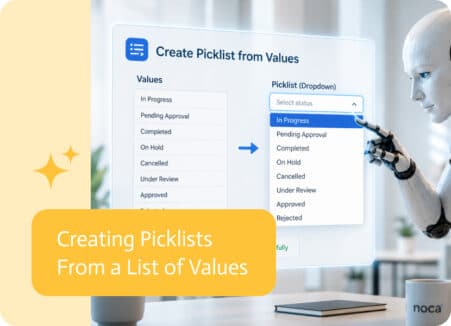
Picklists are supposed to make forms easier. Instead of asking users to type an answer manually, they can choose from a defined list of options….