


Prompt to Flow for SFTP Integrations
File storage has a way of turning into a budget issue, especially when expensive systems become the default place to park documents long term. Salesforce can store files, but at scale it adds up, and it still does not guarantee those files are available where downstream systems can actually use them. Prompt to flow helps by treating new files as events and routing them to SFTP automatically, so documents land in the right repository without manual exporting.
The use case is a Salesforce to SFTP file export workflow. When a file is added to an account in Salesforce and the account is updated, Noca detects the change, checks whether a new file exists, and if it does, pushes that file to a designated SFTP folder while keeping the title intact. In the demo, the file lands in Salesforce, the flow runs, and moments later the same file appears in SFTP. If you are searching for Salesforce SFTP integration, automated file transfer, or an ai automation agent that moves CRM attachments into an SFTP repository, this is the clean pattern.
In Noca, you can generate this with prompt to flow or build it in the visual builder if you want to customize naming and routing rules. The trigger is a Salesforce account updated event with a condition that checks a file was added or the latest file timestamp changed. Mapping pulls the file content and metadata like filename, title, file type, account identifier, and upload time, then the destination action uploads the file to SFTP using the correct folder path and naming convention. Routing can handle real world cases, like sending different document types to different folders, skipping duplicates, and flagging failed transfers for retry instead of quietly dropping them. This is prompt automation that stays reliable because trigger, conditions, mapping, destination action, and routing are explicit.
The outcome is lower storage pressure in systems like Salesforce and better interoperability for teams and applications that already depend on SFTP. Files move automatically with consistent names, and Salesforce stays focused on CRM work rather than serving as a document archive. To explore Noca, visit https://noca.ai/ and learn more about prompt to flow at https://noca.ai/prompt-to-flow/ .
Heads up, Docs lovers (and everyone else, too)! This release is here to make your document magic a little smarter, your apps a little snazzier,…

Background image removal is the trick of cutting out the scenery behind a subject so only the person, product, or object shows through. You can…
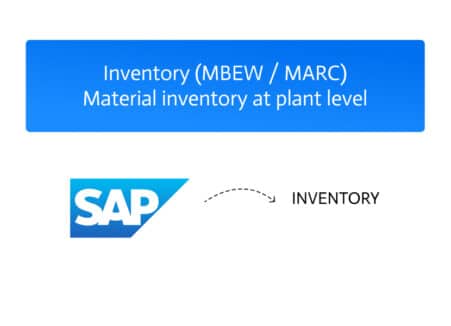
Core Identifiers At the heart of SAP’s inventory management are three mandatory fields: Quantity and Measurement To ensure consistency in tracking and reporting, SAP uses:…