
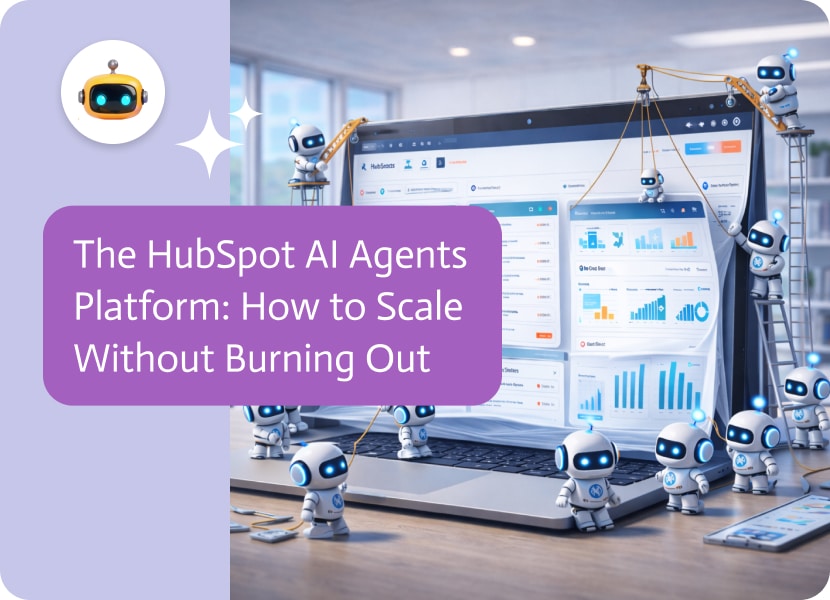

The HubSpot AI Agents Platform: How to Scale Without Burning Out
There is a reason why HubSpot is so popular. In the CRM world, it’s like “Apple.” It’s orange, easy to use, and built on the idea of inbound marketing, which changed marketing forever.
The simple promise of inbound is to stop bothering people and make something useful. Be personal and give customers useful information, and treat them like friends instead of targets.
When you have 100 leads, this way of thinking works great. You can send an email to each one of them. You can remember the name of their dog. You can write the best blog post ever.
But what do you do with 10,000 leads? Or 100,000?
All of a sudden, the “human touch” turns into a logistical nightmare. Your salespeople have too much to do. Your “helpful content” turns into a generic SEO treadmill. Your beautiful CRM is full of “unqualified” contacts that no one has time to call.
This is the “Scale Paradox.” You need automation to grow. But automation often takes away the “human vibe” that helped you succeed in the first place. Of course, this only works if you stop thinking about automation (robots that follow rules) and start thinking about agency (digital workers that get the big picture).
What is a platform for HubSpot AI agents? (And no, it’s not just ChatSpot.)
Recently, HubSpot changed the names of some of its cool native AI tools to “Breeze.” These tools used to be called ChatSpot and Content Assistant. These are excellent “co-pilots.” You can tell them to “Write a blog post about shoes” or “Summarize this contact.” You have to tell a Copilot what to do first.
There is a different platform for HubSpot AI agents. It is a layer of digital infrastructure that works on its own and sits on top of your portal. It doesn’t wait for you.
- Assistant: You click a button to make an email.
- Agent Platform: The agent sees that a lead has been to the pricing page three times, which means they are very interested. They check the lead’s industry, write a personalized email, send it, and then tell you to call them tomorrow.
The platform is the conductor. It changes HubSpot from a “Contacts” database that doesn’t do anything to a “Conversations” database that is always buzzing with activity.
Why Semantic Agency Is Important
The main problem with HubSpot’s automation (Workflows) is that it is too rigid.
If the form field says “Lawyer,” send email A. But people are muddled. What if they spell “lawyer” wrong and say “attorney”? What if they write “Legal Ninja”? A normal workflow stops working.
Semantic Understanding is used by the HubSpot AI agents platform. It knows that “lawyer,” “attorney,” “counsel,” and “legal ninja” all refer to the same person. It gets the feeling of a message.
A standard automation might stop if a lead replies to an automated email with, “I’m interested, but your prices are crazy.” An AI agent reads the sentiment (interest + objection) and says, “I understand your budget.” We do have a startup tier that might be a better fit.
“Want to see the details?”
That’s not a template, it’s logic. That’s the kind of communication that keeps deals going.
Three Agents That Your HubSpot Portal Needs Right Now
When you add a HubSpot AI agents platform to your system, you don’t just get a “bot.” You are basically hiring a team of experts who will work for you for $0.05 an hour.
1. The “Inbound SDR” (the first person to respond)
Everything is about how quickly you can lead. If you don’t respond within five minutes, your chances of qualifying drop by 80%. But your human SDRs do sleep.
- The Process: At 3:00 AM, a lead downloads a white paper. It doesn’t just send the standard “Thanks for downloading” email. It looks at the LinkedIn profile of the lead. It sees that they just got Series B funding.
- The Action: It sends a very personal message: “Thanks for the download, [Name]. I saw the news about the Series B, congrats! Because of that growth, I thought this part of the whitepaper about scaling teams might be useful…
The result is that the lead wakes up, sees an email that makes them think, and answers. Scheduled meeting.
2. The Publisher, also known as the “Content Ops” Agent
The HubSpot CMS is great, but uploading content is a pain. It’s boring to format headers, add meta descriptions, find images, and link to other pages.
- The process is simple: you put a rough draft or a podcast transcript into a Google Drive folder.
- The Agent: It reads the document. It makes the meta description and SEO title. It puts the H1s and H2s in the right order. It picks a stock photo that fits. It even adds links to your other blog posts that are related to the topic.
- The Action: It makes a “Draft” post in HubSpot and sends you a message on Slack saying, “Post ready for review.” The score for SEO is 95.
3. The “RevOps” Guardian (The Data Police)
HubSpot charges you for “Marketing Contacts.” Having bad data costs you money every month.
- The Process: Every Friday, the agent looks through your database.
- The logic: It looks for bounce backs, “role-based” emails (like info@ and support@), and duplicates. But it also looks at how people act. “This person hasn’t opened an email in 730 days.”
- The Action: It either marks them as “Non-Marketing Contacts” (which saves you money) or puts them on a “Re-Engagement” list. It keeps your portal slim and your bill low.
- The Technical Reality: API v3 and Custom Objects
When looking at a HubSpot AI agents platform, you should ask about the plumbing. Your platform needs to keep up with HubSpot’s API as it changes.
The “Custom Object” Problem
Custom objects are used by real businesses. You don’t just sell “deals.” You could have “Subscriptions,” “Events,” or “Shipments.” Many basic AI tools only consider the three standard categories: “Contact,” “Company,” and “Deal.” A real enterprise HubSpot AI agents platform can automatically map your custom objects.
- Agent: “I need to find out what the status of the ‘shipment’ that goes with this deal is.”
To do this, you need to do deep schema discovery. Before the agent can help you, it needs to “read” the structure of your portal.
The Dance of the Rate Limit
HubSpot gives you a lot of API limits, but they aren’t unlimited. If you have an AI agent that wants to “update every contact description” at the same time, you’ll get a 429 error. Exponential backoff is used by a strong platform. It knows how to control its speed. It behaves like a polite guest instead of a greedy data thief.
The “Private App” Model for Security
HubSpot has stopped using API keys and switched to “Private Apps.” This is a big win for safety. Your HubSpot AI agents platform should use granular scopes.
- Does the agent need to look at your “Tickets”? Yes.
- Does it need to get rid of your “Users”? No way.
You should be able to turn these permissions on and off on the platform, which will keep the AI powerful but under control.
Why the Marketing Team Likes “No-Code”
This is the last piece of the puzzle. In your company, who owns HubSpot? Most of the time, it’s marketing or RevOps. These people are smart, but they don’t often work with Python. They would rather not have to take care of a GitHub repository to keep their AI agent going.
They want a user interface. They want to be able to “drag and drop.”
A HubSpot AI agents platform needs to be easy to get to. You should be able to tell the agent in plain English, “Keep an eye on the ‘Pricing Page.’ If a known contact goes to it, let their lead owner know through Slack.
The platform turns that English into the complicated webhook and API logic that is needed to make it work. It gives the marketer the power to be a developer without having to write code.
Conclusion: Don’t just grow; scale too.
Growth and scale are not the same thing.
- Adding revenue at the same rate as costs is what growth means. (More leads = more salespeople).
- Scale means that costs stay the same while revenue grows quickly. (More leads = smarter agents).
HubSpot is what makes things grow. But a HubSpot AI agents platform is what makes things grow.
It lets you keep that beautiful, personal, “inbound” feeling that your customers love, even as you go from 10 customers to 10,000. It keeps the database clean, the content coming in, and the conversations real.
You can use the built-in tools and still have a wonderful Copilot. You can also plug in Noca.AI and create a digital workforce that lives in your CRM and works around the clock to turn strangers into fans.
ERP systems promise order, visibility, and control, but the reality, though, can often feel like an IKEA wardrobe you bought for your oddly shaped bedroom,…

A monday CRM overview looks clean until you ask the annoying question: where does the lead actually live. Many teams capture inbound requests, partner referrals,…
In today’s fast-paced business environment, efficient data management and seamless integration of various software applications are essential. Zapier is a popular integration platform that enables…