
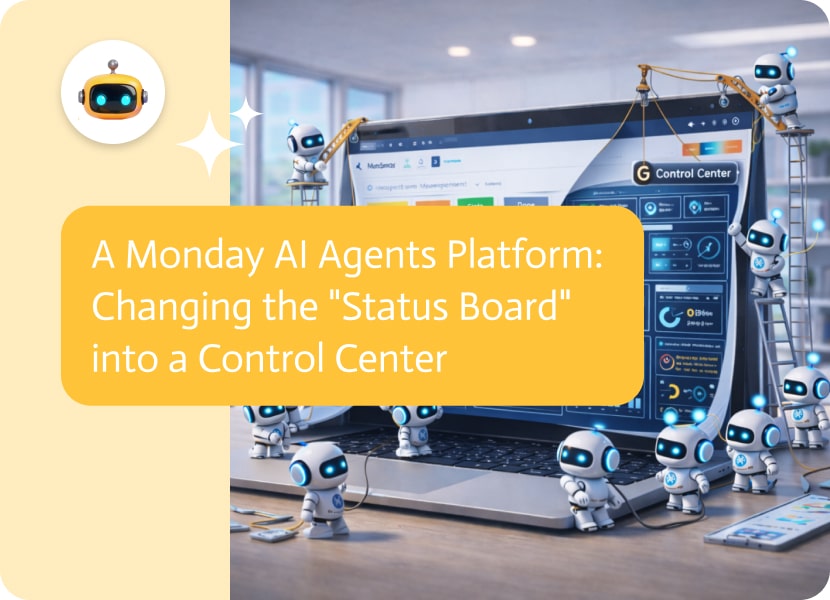

A Monday AI Agents Platform: Changing the “Status Board” into a Control Center
We have to say something about Monday.com. It feels so good when you click the little gray “Working on it” box and change it to the bright green “Done”; you get a specific dopamine rush. It goes pop. Even if all you did was send Dave a PDF, it makes you feel like you just conquered the world.
Monday.com won the project management battle because it knew that we are all like little kids who like bright colors and simple buttons. It made keeping track of complicated projects fun. But this gamification has a bad side. Monday boards want food. They are hungry animals that need to be fed. They die if you stop updating them. A board that hasn’t been touched in three weeks isn’t a project tracker; it’s a grave marker.
This is the “Administrative Gap.” You have the work you do (designing, coding, selling), and then you have the work about the work (updating the status, attaching the file, tagging the owner). Managing the board takes up 20% of most teams’ time each week.
This is where the AI Agents Platform from Monday.com comes in. We are leaving the time of “Automations,” which were simple “If This, Then That” recipes, and entering the time of Agentic Workflows. This is about putting digital team members in charge of more than just updating the green box. They also have to do the work that needs to be done to make the box turn green.
What Makes a Recipe Different from a Chef
If you use Monday, you probably use their built-in automations. “Let the owner know when the date comes.” That helps, but it’s not flexible. It’s a recipe. The recipe doesn’t work if you run out of flour.
A Chef is a Monday.com AI agents platform. It makes things up as it goes along. It knows what’s going on.
Think about how a normal creative agency works. A customer sends an email with a new request. In the past, a project manager would read the email, open it on Monday, make a new item, copy the text into the “Brief” column, give it to a designer, and set a due date.
This flow goes away with an AI agent platform. The agent stops the email. It can tell how the client is feeling; maybe they’re worried about a deadline. It logs into Monday and makes the item. But it goes even further. It checks the “Capacity Board” to see which designer is available. It sees that Sarah has too much to do, but Mike has some free time. It gives Mike a job. Then it reads the client’s request, which says, “We need a blog post about cybersecurity,” and actually writes the outline of the post and sends it along with the item updates. It sends Mike a message on Slack: “I’ve set up the project, given you a task, and written a rough outline. The client is stressed, so I made it a high priority.
The board got new information, but more importantly, the work started on its own.
The GraphQL Barrier (or, Why This Is Hard to Make)
If you’re thinking, “I’ll just write a script to do this,” you might want to stop. GraphQL is what makes Monday.com different from other websites.
Most software uses REST APIs, which are like ordering from a menu. “I’ll take the burger.” You get the burger. GraphQL is like a buffet where you have to say exactly what you want on your plate. “I want the burger, but only the top bun, the lettuce, and the pickle’s ID.”
This gives developers a lot of power, but it makes it hard to make a generic Monday.com AI agents platform. The agent needs to know how things are ranked in your world. It needs to know that “Workspaces” have “Boards,” which have “Groups,” which have “Items,” which have “Column Values.”
Monday will not accept the data if your AI agent tries to update a “Status” column but sends it as “Text.” If the agent tries to look for something by name but doesn’t know the Board ID, it won’t find anything. A strong platform needs to hide this complexity. You should be able to say “Move all the stalled projects to the backlog” without worrying about how the query is set up.
The Three “Vibes” of Monday Agents
When you use these agents, they usually take on roles that fit with how Monday is used.
The first thing you need is the Project Scribe. This agent fixes the “context rot” issue. Most of the time, teams make decisions in Slack or Zoom, but the Board doesn’t say anything. After the meeting, no one updates the ticket. The Scribe works with the tools you use to talk to each other. It “hears” the Slack thread where you talked about fixing the bug. It knows that a choice was made. It goes to the right item on the Monday board and posts an update that says, “Team decided to go with Option B during the Tuesday standup.” It keeps the board going without any help from people.
The Gatekeeper is the second thing you have. People don’t fill out Monday forms well, but they are great for intake. They either leave fields blank or upload the wrong files. The “Incoming” group is watched over by the Gatekeeper. It checks out a new item right away when it arrives. The Agent doesn’t wait for a person to see that the “Budget” column is empty. It sends an email to the person who asked for it that says, “Hey, you asked for this but forgot the budget.” I can’t give it to the team until I know that. “Can you answer with the amount?” It works out the data entry until the ticket is “clean” enough for a person to touch.
Third, the Portfolio Analyst. It’s easy to see one project on Monday, but hard to see all of them. A manager asks, “Are we on track for the fourth quarter?” To check, a person has to open 15 different boards. The Analyst Agent just asks the whole account. It checks the “Progress” columns on the Marketing, Sales, and Product boards. It puts the information together and says, “Marketing is 80% done, but Product is stuck in the ‘Beta’ phase.” We might miss the launch.
Why “No Code” Is Not Up for Discussion Here
Most of the people who love Monday.com are not software engineers. They are in charge of marketing, production, and operations. They picked Monday because it’s easy to see and do.
Because of this, your Monday.com AI agents platform can’t need a command line interface. It has to be like Monday. It should be easy to drag and drop. You should be able to easily add a new column and set the agent’s “Tools,” like update_column or read_board.
This is where the built-in options often don’t work as well. They give you “magic text” in a document, but they don’t give you a whole team of workers that can work on all of your tech. You need a dedicated, agnostic platform if you want an agent that can link Monday to Salesforce and Jira at the same time. In the end, let the Board take care of itself.
The role of the “project manager” is changing as we move toward a new world. It stops being about getting updates from people and starts being about strategy.
You can reach that state with a Monday.com AI agents platform. It gives Monday’s colorful and pretty interface a brain. It makes the board more than just a place to show information; it becomes an active part of your company’s success.
If you want, you can keep changing those status columns by hand. For a while, it feels good. You could also use Noca.AI to make a system where the columns change on their own, the work flows on its own, and you can focus on the big picture.
The green button that says “Done” is waiting. Have an agent click it for you.

The process of linking your Customer Relationship Management (CRM) system with your Enterprise Resource Planning (ERP) system in such a manner that they can share…
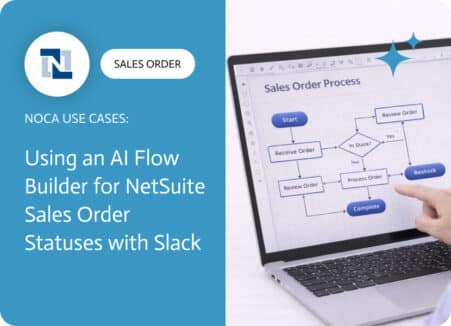
A NetSuite sales order approval workflow exists to protect margins, reduce risk, and prevent avoidable downstream work. Approvals catch discount exceptions, unusual terms, non standard…
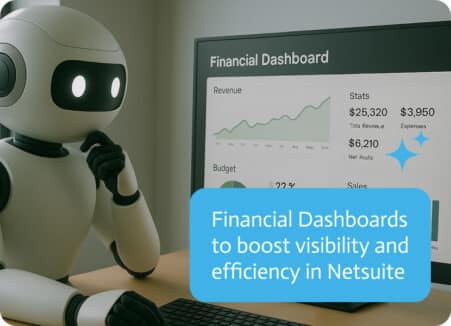
NetSuite is a well-known name in enterprise software. The cloud-based ERP (enterprise resource planning) platform has become the go-to system for thousands of mid-market and…