
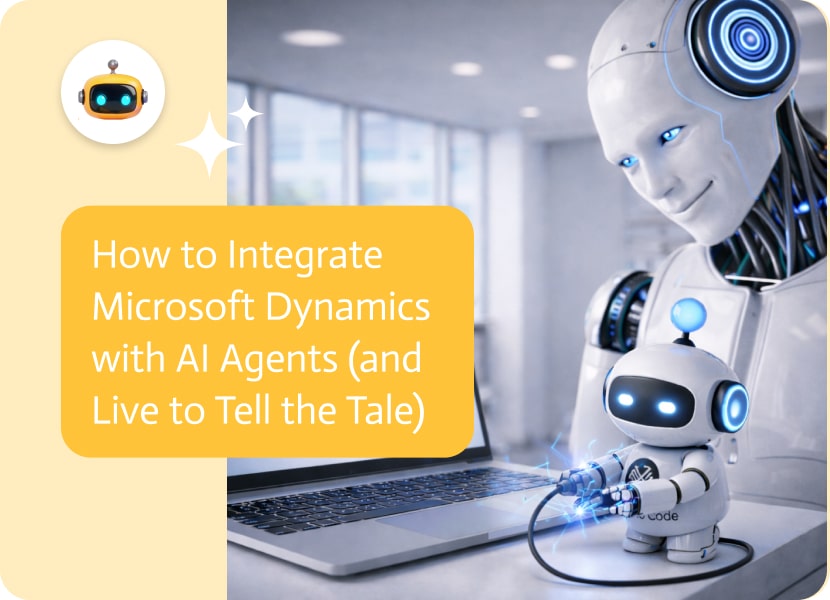

How to Integrate Microsoft Dynamics with AI Agents (and Live to Tell the Tale)
Salesforce is the cool, popular kid in school, while Microsoft Dynamics is the serious one who runs the math club and the student council and knows where all the bodies are buried.
Microsoft Dynamics 365 is a multinational company. It’s an ERP. It’s a customer relationship management system. It can run your whole supply chain, manage your sales team, and do your accounting all at the same time.
But let’s be honest: sometimes it feels like trying to fly a spaceship with a manual written in ancient Greek. The menus have their own menus with their own sub-settings in the settings. This is when the AI agent comes in to help.
You wouldn’t have to click through forty-seven screens to see how much stock you have or change a customer’s credit limit. What if you could just say, “Hey, check to see if we have enough widgets for the Acme order. If not, start a purchase request.”
That’s not science fiction anymore. That is a normal way to connect an AI agent. But it takes some skill (and a lot of patience with Azure) to connect your shiny new AI to Microsoft Dynamics, which is like a fortress.
This guide will show you step-by-step how to integrate Microsoft Dynamics with AI agents.
The World vs. Copilot
We need to talk about the big problem in the server room before we start wiring things up: Microsoft Copilot. Microsoft has spent billions on AI. Copilot is everywhere.
- The Copilot Path: Copilot is great if you only use Microsoft products. It reads your emails in Outlook, checks your chats in Teams, and updates Dynamics. It’s safe, built-in, and easy to turn on.
- The Custom Route: But what if you want more? What if you want your AI agent platform to work with any platform? You might want an agent that keeps an eye on a warehouse system that isn’t Microsoft and updates Dynamics on its own. You might want to make a support agent on your website that reads Dynamics data and talks to customers.
That isn’t always possible for Copilot. Custom AI agents can. And that is what we are working on right now.
The Requirement: Welcome to the Azure Maze
When you connect to Microsoft Dynamics, it’s not as simple as “getting an API key.” Oh no. That would be too easy.
Microsoft Entra ID (formerly known as Azure Active Directory) is the gatekeeper that you have to go through to talk to Dynamics. Microsoft changes the names of their products every six months to keep us on our toes.
You need to be able to get to the Azure Portal. If you’re not an admin, buy your IT director a nice lunch because you need their help.
How to Integrate Microsoft Dynamics with AI Agents: step by step
We are going to set up authentication between servers (S2S). This lets your AI agent log in as a “background service” without needing a person to type in a password.
Step 1: Register the app (this is like getting a digital birth certificate)
Your agent needs to know who they are.
- Sign in to the Azure Portal.
- Type “App registrations” into the search box and click “New registration.”
- Name: Call it something like Noca_Dynamics_Agent.
- Types of accounts that are supported: “Accounts in this organizational directory only” is usually fine for tools that are used inside the company.
- Hit “Register.”
Congratulations! Your agent is now alive. You will see an ID for the application (client). Take this. This is the agent’s name. There will also be a Directory (tenant) ID. Do that too. That is the address of your organization.
Step 2: The Hidden Handshake
We need a password now.
- Check out the left sidebar of your new app registration. Click on “Secrets and Certificates.”
- Click “New client secret.”
- Set an expiration date and give it a name, like “AI Agent Secret.”
- IMPORTANT: The “Value” field will show up when you click “Add.” Make a copy right away. It goes away forever, like a sock in the dryer, once you leave. This is your secret client.
Step 3: Giving Permission (The API Permissions)
The agent may exist, but that doesn’t mean it can touch Dynamics.
- On the left, click “API permissions.”
- Press “Add a permission.”
- Choose either “Dynamics CRM” or “Dynamics 365 Business Central,” depending on what you have.
- Select “Application permissions” because the agent runs in the background and not as a logged-in user.
- Depending on your security policy, check the box for user impersonation or full access.
- The Last Step: You need to click the button that says “Grant admin consent for [Your Company].” If you don’t do this, the permissions are just a list of things you want.
Step 4: The Application User (How to Connect Azure to Dynamics)
We’re not finished yet. We made the ID in Azure, but Dynamics doesn’t know about it yet.
- Start up your Microsoft Dynamics environment.
- Click on Users under Settings > Security.
- Change the view to “Application Users.”
- Hit “New.”
- Paste the application (client) ID you made in Step 1 into this box.
- The rest will be filled in by Dynamics. Keep it.
- Give out roles: Give this user a security role, such as “system administrator” (risky) or a custom “AI agent role” (smart) that only lets them see the things they need to see.
How to Integrate Microsoft Dynamics with AI Agents: Magic in the Real World
Why put yourself through the trouble of Azure App Registrations? Microsoft Dynamics is the heart and soul of your business.
The “Vibe Check” for ERP
ERP systems are known for being boring. They are just lines of numbers. An AI agent makes things smarter.
- Situation: A manager of the supply chain asks, “How are we doing for Q4?”
- The Agent: It doesn’t just give you a number. It looks at the current inventory in Dynamics, compares it to “Open Opportunities” in the CRM module, and raises a red flag: “We have 500 units in stock, but three deals are in the works that need 200 units each.” We are expected to be short by November 15th. “Should I write a request to reorder?” That’s not just information; it’s insight.
Automated Financial Reconciliation
Dynamics 365 Finance is strong, but it requires a lot of work. An AI agent can look through emails for incoming invoices, compare them to purchase orders in Dynamics, and if they match perfectly, post them automatically. If there is a difference, like if the invoice is $10 more than the PO, it lets a person know.
Superpowers for Customer Service
Your agents are probably swamped with tickets if you use Dynamics for customer service. A connection to an AI agent can be made between the customer and the ticket. It reads the email that came in, looks up the customer’s purchase history in Dynamics, sees that they are a “Platinum Tier” client, and automatically sends the ticket to the VIP queue while sending a personalized, apologetic response.
The Future is Agentic
We’re going from “users entering data” to “agents managing data.”
Think about a world where your sales team doesn’t put data into Dynamics. All they do is talk. They use their phone to record a meeting. The AI agent writes down what was said, pulls out the action items, updates the Dynamics record, sets up the follow-up, and lets the warehouse know, all without you having to click anything.
Conclusion: How to Integrate Microsoft Dynamics with AI Agents
Microsoft Dynamics is a powerful engine, but it is big. It needs a lot of fuel and care. When you make a custom AI agent integration, you’re basically making a self-driving feature for that engine. You change a system of record into a system of action.
But as you can see, the “App Registration / Client Secret / API Permission / Application User” dance is not for the weak of heart. It is strict and technical, and if you miss one checkbox, nothing will work. For the next three weeks, you could be fixing OData queries and dealing with Azure permissions.
Or you could let us do the hard work.
These kinds of complicated business integrations are what we do best at Noca. Our AI agent platform is already set up to talk to “Microsoft Dynamics.” We take care of the OData syntax and the authentication handshakes, so you can focus on making agents that really help businesses.
Are you ready to make your ERP less like a spreadsheet and more like a friend? Let’s get your data moving.
For decades, the idea of the “digital employee” has been like a carrot on a stick in front of us. We were promised cute robot…
The ‘Product’ object in Salesforce represents the products or services that a company is selling. Also sometimes called Product2, this object serves as the foundation for product catalogs, pricing, and…
A Saved Search in NetSuite is a strong tool that provides users with creating, customizing and reusing advanced search queries across the platform. Whether you…