

Bolt vs. Replit: A Side-by-Side Comparison
Vibe coding has gone from an experimental novelty to a legitimate means of developing software, and Bolt vs. Replit are two of the loudest companies in this field. One turns language right into full-stack apps, and the infrastructure is magically taken care of in the background. The other gives you an agent-powered IDE buddy who’s a developer and works superhuman hours without ever complaining about dependencies.
This mix of tools marks the start of a new era in development that makes it possible for anyone, from founders to students to accidental developers, to make real products without having to deal with the usual technical circus.
Bolt vs. Replit Overview
When putting Bolt vs. Replit side by side, you start to see two different visions of the same goal: skipping the pain and going directly to the part where your idea becomes something real, and with that, here’s a quick overview of their vibe coding abilities.
Bolt: Building Applications
Bolt has a different way of looking at vibe coding. Instead of just targeting AI workers and task management, Bolt lets anyone create web apps through talking, very similar to Noca. It’s less about hiring an AI worker and more about making software without a degree.
Core Philosophy
Just like Noca, Bolt wants to make software creation easy for everyone. The platform allows you to simply write your app idea down, and Bolt makes a working model with the design, code, and database all connected.
The v2 Vibe Coding Revolution
With the release of Bolt v2, the platform addressed fundamental limitations plaguing first-generation vibe coding tools: endless error loops, infrastructure headaches, and projects collapsing instantly
Bolt v2 has a lot of new features, one of which lets you switch between different AIs, so you can use the best parts of each one. If one has issues with a task, you can switch to another. It’s like having experts on call who will answer your questions.
Perhaps most importantly, v2 includes autonomous debugging with 98% fewer errors. The system can detect when it’s created buggy code and automatically fix issues with much less human oversight.
Integrated Infrastructure
What makes Bolt just a little different is its built-in infrastructure. To make modern web apps, you need to handle databases, hosting, user logins, payments, and SEO. These tasks usually cost a lot of money.
Need a database? Bolt creates it automatically when you describe a feature requiring data persistence. Want user authentication? One prompt adds sign-up and login features. Ready to monetize? Stripe payment integration is built-in. It’s infrastructure as a service, except the service is “just make it work.”
The platform also has professional dev features like GitHub integration for version control, shared workspaces for teams, and the ability to fork projects. These fill the space between “I made something” and “I made something investors won’t laugh at.”
Who Bolt Serves
Like Noca, Bolt targets founders who can’t afford development teams yet, product managers tired of explaining wireframes to engineers, designers wanting their visions to actually work, and anyone with a software idea wanting to rapidly prototype or launch products. It serves agencies building client prototypes, startups creating MVPs, and product teams conducting rapid experimentation.
Known Limitations of Vibe Coding
While Bolt has dramatically improved with v2, vibe coding still has inherent limitations. Complex apps with detailed business logic may hit walls where AI-generated code becomes a problem to debug and extend. Projects needing high performance, custom algorithms, or integration with some of the older systems from 1987 might still need actual human developers.
Think of it this way: Bolt is good for building a food delivery app. Building the next Google search algorithm? Maybe hire some engineers.
Vibe Coding With Replit
Node setup, configuring webpack, fighting dependency issues, and then crying over CORS errors used to be the norm, but not with Replit. Simply pick a template or just start typing, and everything is already set up.
WebContainers powers this, which I still don’t fully understand, so now you can run real Node.js in your browser. npm install really does work. Backend servers really do run. It isn’t fake or copied; it’s real, but it shouldn’t be able to happen where it is.
Tell the Replit agent what you want and watch as it builds a whole app from front to back, with authentication and everything else you need. It has long autonomous builds that don’t need much supervision. It opens a browser, tests its own work, and you can adjust the overall autonomy it has. It’s like having an intern who actually gets things done.
Numerous people work on projects at the same time, and live cursors show where each person is working. This is what teachers use to help students right away. Teams use it for pair programming without any lag when sharing screens. It works together in a way that seems impossible to be smooth.
Costing
The Core plan costs $20 a month (for a year) or $25 a month (for a month), comes with $25 in credits, and the agent charges $0.25 per checkpoint. But they switched to effort-based pricing, which means that simple tasks cost less than $0.25 while complicated ones could cost a lot more, maybe even several dollars. There are also compute units, database costs, and deployment costs.
One user reportedly said, “I used up all my Teams credits in the first month.” It’s hard to plan a trip with Replit’s prices because you don’t know how much gas costs at each station, and sometimes the road itself charges you more.
Replit Is Your Hero When
You need something to work right away: Users praise Replit for its ability to support quick changes and rapid prototyping. One user said it lets them “quickly deploy their environment and try out new features, making sure they work in production.” Need a demo for a meeting tomorrow? Replit is here for you.
Setup makes you want to scream: No managers of versions. No, “just let me fix my PATH real quick,” that takes three hours. Replit’s AI can turn natural language into code, which makes the platform very easy to use and makes it easier for new users to get started.
You’re either teaching or learning: With a link, teachers can share whole projects. Students can see each other’s code in real time. There is almost no barrier to “Let’s just write some code.”
What Makes Replits Vibe Coding Different
It’s based on Replit’s WebContainers technology, which provides a full development environment for more than 50 programming languages. But here’s the catch: Replit Agent tests and fixes its code, making your app more functional all the time in a reflection loop.
Agent 3 added computer use testing, which means that the agent opens a browser and tests its own work, exactly how a user would. Replit’s own testing system is three times faster and ten times cheaper than other computer use models. When you need to make changes quickly, this type of efficiency is incredibly significant.
Agent 3 can build other agents and make workflows, and that’s probably the most interesting thing. You tell Agent 3 what kind of workflow you want in plain language, and it makes a special agent to take care of it. These agents can work with Slack, email, and Telegram, which turns vibe coding into automation engineering.
This is backed up by real-world evidence. Replit helped AllFly’s COO rebuild their whole app in just a few days. This cut development costs by more than $400,000 and pumped output by 85%. The Zinus team used Replit to build an automated system that made a long, expensive process faster and easier.
Where Replit Gets Messy
The platform assumes you know the basics of coding, regardless of it helping you code faster. If you know what it’s doing, watching Agent 3 work is interesting. The IDE heritage shows itself in file inspection, Git diffs, GitHub pushes, and compatibility with VS. But if you don’t know how those workflows work, you’re out of luck.
Some developers say that the software isn’t reliable because it has bugs and limits on how it can be used that are annoying. People have complained that the support team isn’t as responsive as they’d like, and the pricing model seems limiting to those who hit their token limits faster than they thought they would. The token-based billing makes sense, but it makes me worry that costs will go up when having to endure long debugging sessions.
The Bolt vs. Replit Bottom Line
Bolt vs. Replit now make the same promise: making software that seems possible. With Bolt, you can create fully functional apps using simple ideas and natural language. With Replit, you get an agent-powered workshop that works like an extra pair of hands that’s fast, tireless, and surprisingly skilled.
When you put them all together, you can see where vibe coding is going: platforms that make it easier to think and build at the same time. Bolt’s “just describe it” magic and Replit’s hands-on speed and freedom both push software development into a place where creativity is more important than configuration.
And that’s the real win: anyone can ship in this new world.
Sales orders are a core component of SAP’s order management system. They not only streamline internal processes but also integrate seamlessly with forecasting and demand…

Remember when coding meant late nights glued to your screen for hours, filled with weird symbols? Get ready for a change because artificial intelligence is…
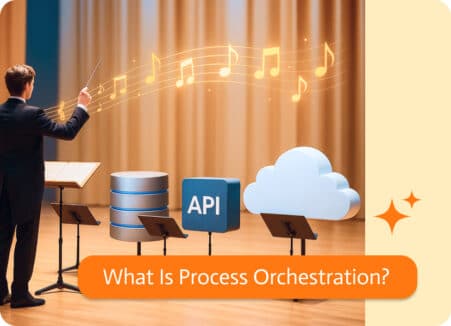
Think of process orchestration as the conductor of your business workflows. Instead of automating one isolated task (like sending an email when a form is…