
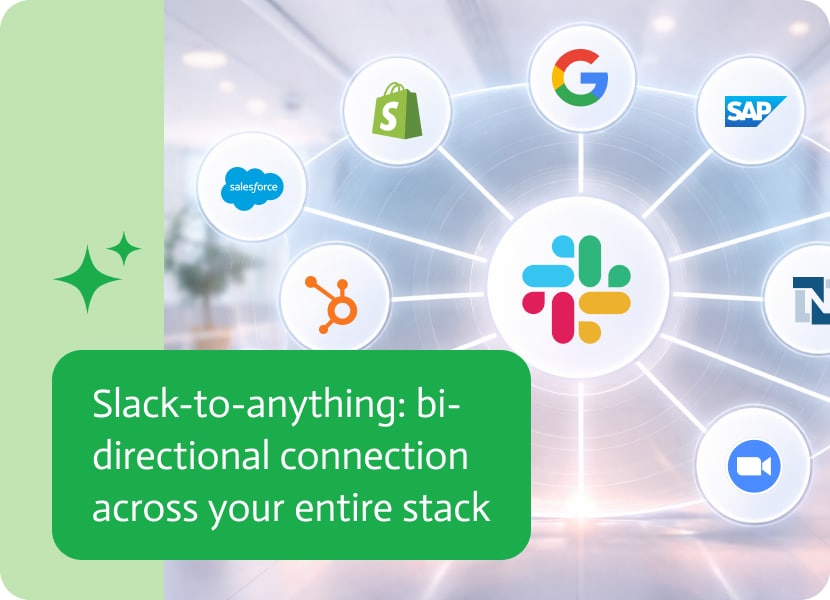

Slack-to-Anything: Bi-Directional Connection Across your Entire Stack
Your team already lives in Slack. But every time someone needs a number from Salesforce, a sales order from NetSuite, or a status update from Monday.com, they leave Slack, open another tab, dig through records, and come back to share what they found. Multiply that by ten people doing it ten times a day, and you start to see the problem.
What if you could just ask Slack?
In this video, we built a chatbot inside Slack using Noca AI that reads and writes data across Salesforce, NetSuite, and Monday.com. No code. No middleware. One bot, multiple systems, all from the place your team already works.
Watch the Demo
What You’re Looking At
The setup has three pieces:
A Noca chatbot connected to four data sources across three systems. It pulls opportunities from Salesforce, reads accounts from Salesforce, grabs sales orders from NetSuite, and brings in items from a Monday.com board. The bot has tailored instructions so it knows how to answer questions based on those sources.
A Noca flow that connects Slack to the chatbot. When someone types a message in the Slack channel with the right trigger word, the flow picks it up, routes it to the chatbot, and sends the answer back to Slack.
An autonomous trigger that lets the bot create new records. In this example, it creates accounts in Salesforce directly from a Slack message.
What This Looks Like in Practice
Someone types: “@Noca, what is the most recent opportunity created in Salesforce?”
A few seconds later, the bot responds in the same channel with the answer. No tab switching. No digging through Salesforce.
Ask it about the most recent sales order in NetSuite? Same thing. The bot queries the right system and drops the answer right into Slack.
And it goes beyond just reading data. Type “@Noca, create a new account in Salesforce with the name NokaRules1” and the bot creates the record. Go check Salesforce. It’s there.
Why This Matters
Most teams run on three to five core systems. The data they need is spread across all of them, and the people who need it fastest are usually the ones with the least time to go hunting for it.
Think about what your sales team does right now. Someone’s on a call and needs to check an opportunity in Salesforce. They put the prospect on hold, open a new tab, navigate to the right record, find the field, and come back. Or they message a colleague who has to do the same thing. It’s small friction, but it adds up across every rep, every day.
This setup turns Slack into a single access point for your tech stack. Your sales team can pull pipeline data without leaving a conversation. Your ops team can check order status mid-thread. And instead of training everyone on how to navigate every system, you give them one bot that already knows where to look.
The write-back capability is what makes this more than a reporting tool. Being able to create records from Slack means your team can act on information in the same place they found it. No context switching. No forgetting to update the CRM after a conversation.
The other thing worth noting: this is not a static integration. The chatbot uses AI to interpret natural language questions and route them to the right data source. You don’t need to memorize commands or query syntax. Just ask a question the way you would ask a colleague.
And because this is built on Noca, you’re not limited to the systems shown in this demo. Noca connects to Salesforce, NetSuite, Monday.com, HubSpot, SAP, Google Drive, Microsoft, and more. You can swap in whatever your team actually uses.
Want to Build This?
We published a full step-by-step tutorial on how to set this up in Noca. You can follow along and have your own Slack chatbot connected to your systems in under an hour.
If you want to see what this could look like for your team, get in touch with us or subscribe to our YouTube channel for more walkthroughs.
“Vibe coding” is more than a trend, it’s a radical shift in how software is created today. At its core, vibe coding is the act…
Snowflake data integration is really about connecting the Snowflake platform with almost any source you can imagine, from websites, apps, and sensors to legacy databases….

You know how it goes if you’ve ever tried to hire a customer service rep while sitting on the other side of a mahogany desk…