

Streamline SMS Operations With Prompt Automation
Support teams do not struggle to send messages. They struggle to send the right message at the right time without creating a new manual step that someone will eventually skip. SMS is especially unforgiving because customers read it immediately, which is great when it is consistent and awkward when it is not. Prompt automation helps by turning case creation into an automatic text event, so every customer gets the same confirmation without relying on someone to remember outreach.
The use case is a Salesforce case creation trigger that sends an SMS through the 019 texting integration. When a new case is created in Salesforce, Noca detects the event and sends a text message that can be dynamic, pulling the contact’s first name and other case details into the message. In the demo, a case is created, the flow processes it within seconds, and the phone receives a message like “Hello, Ben. Thank you for opening a case with Acme Farms. We will contact you with more details shortly.” If you are searching for Salesforce SMS automation, case confirmation texting, or prompt automation that sends SMS from Salesforce triggers, this is the clean pattern.
In Noca, you can build this with prompt to flow or in the visual builder if you want to fine tune the criteria and message logic. The trigger is Salesforce case created, with conditions that can restrict sends to specific case types, business hours, regions, or contact preferences. Mapping pulls fields from the case and the related contact, like first name and phone number, then the destination action sends the SMS through the 019 integration with your templated message. Routing is where it becomes reliable: you can route missing phone numbers to an internal alert, route urgent cases to a different message, or route after hours cases to a different promise so you do not accidentally commit to an immediate response. This is prompt automation that stays operational because trigger, conditions, mapping, destination action, and routing are explicit.
The outcome is consistent case acknowledgment and a better customer experience without adding workload to support staff. Customers get confirmation instantly, agents stay focused on resolution, and the process does not depend on someone manually sending a “got it” message. To explore Noca, visit https://noca.ai/ and learn more about prompt to flow at https://noca.ai/prompt-to-flow/ .
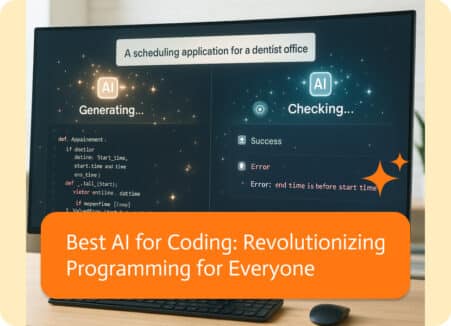
AI is making some big-time waves in today’s super-fast business-oriented world, and not least when it comes to coding. Whether you’re just starting out or…
Online dating and document generation solution shopping are strangely similar. During the demo phase, everyone’s profile looks fantastic. They all claim to be “easy to…
In NetSuite an invoice record is a sale to a customer. It shows the process of billing for goods and services delivered to the customer…