
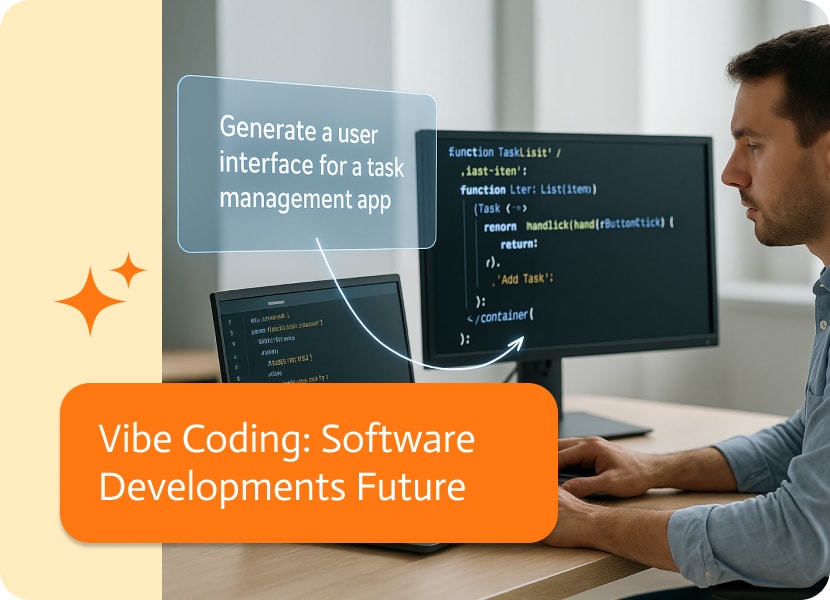

Vibe Coding: Software Developments Future
So, Andrej Karpathy, you know, the OpenAI whiz, started talking about vibe coding in early 2025, and it’s catching on like crazy. It’s a new way to think about making stuff with code, using the otherworldly talents of artificial intelligence. If you’re into tech at all, whether you build things, run a company, or just have big ideas, you need to get what this is all about.
What’s Vibe Coding?
Vibe coding totally changes how we make software. Instead of sweating over every single line of code, people just tell the computer in normal language what they want. Then, an AI helper does all the tough stuff.
Just think of saying to the AI, Make me a dashboard that indicates the weather now, a list of things I need to do, and why not show me the latest financial news as well. BAM! The code appears. You run it, change the instructions a bit, and try again; that’s basically it.
Karpathy put it perfectly: “Just go with the flow, enjoy the quick growth, and don’t even worry about the code.” You’re not controlling every little thing in the code, you’re directing the creation of the app like a bandleader, caring more about what comes out than how it’s written.
The Core Principles of Vibe Coding
1. Natural Language Into Code
Vibe coding is the act of turning what you want to do into code by simply using plain English. Just say what you need, and the AI figures it out, thinks it through, and then compiles all the code for you!
Essentially, the more accurately you describe your intent, the better the results. Think:
“Make a landing page with a signup form” → [working backend logic generated].
2. “Code First, Refine Later”
Speed is king. The goal is not really to achieve a finished product on the first try. Instead, get a working prototype fast and iterate.
3. Human in the Loop—But as a Guide
Okay, so you’re not losing your job, it’s more akin to getting a promotion! Instead of only writing the code, you’re now the boss. You explain to the AI what to do, check its work, test things out, and help it get to the best answer.
4. Forget the Code (Sort of)
You don’t need to read or understand every line, all you need to do is put a little trust into the AI to cut through the jargon. It’s very similar to how most of us trust Google Maps without knowing the math behind GPS.
Why Vibe Coding Matters
This isn’t just a feel-good tech philosophy. Vibe coding is already changing how products are built and who gets to build them.
Makes Coding Accessible
No CS degree? No problem. Vibe coding is allowing entrepreneurs, designers, hobbyists, and even non-techies to build functional software. The bottleneck is no longer knowing syntax; it’s knowing what you want.
Turbocharges Prototyping
Idea at 9 a.m.? MVP by lunch. With AI doing the grunt work, you can test business ideas faster than ever before. Startups, side projects, and internal tools all benefit from reduced time-to-first-demo.
Automates Tedious Tasks
Okay, ditch the boring stuff and get ready for easy coding! With vibe coding, AI takes care of routine operations, like establishing APIs and making CRUD apps. This means you can spend more time on the fun, creative parts and making awesome user experiences.
Iterative by Nature
The workflow feels like a chat between friends.
“Make it for mobile devices.”
“Sort out the bug on line 23.”
“Swap the colors to something more elegant.”
As you perform little tweaks here and there, it regenerates smarter, faster, and better. Development becomes dialogue.
The Limits of Vibe Coding: When the Magic Runs Out
Lately, vibe coding, or throwing ideas into a chat window and watching the code appear, it’s something makers could only dream of a couple years ago. Still, even superpowers have limits, and even though this method can spin up working apps in minutes, it also bundles problems that bite later on.
The Code Runs… Sort of
Initially, everything looks just like it should, buttons respond, animations glide by, and the dashboard greets you with exactly what you expected. However, as soon as you pop the hood, though, you’ll often find a tangle of logic that would make a veteran engineer wince. The underlying structure feels assembled on a Friday night, with far too many energy drinks have clouded the plan.
When you take a look at wants happening deeper in, you may discover:
- Functions are scattered in five different files instead of one neat spot.
- Two, sometimes three, nearly identical routines that each claim to do the same job.
- Sudden slowdowns that creep out the moment real people start tapping the screen.
If your goal is a simple demo for friends or a quick school assignment, you might be fine with “good enough.” But once the product begins to outgrow itself, that vibrant mess stares back like an unfinished puzzle. Cleaning it up falls to you or to the next poor developer, who must turn the AI’s enthusiastic draft into code that is easily maintained.
Debugging Can Get Weird
Debugging code that’s been created using the capabilities of AI can sometimes feel like yanking at a tangled pair of headphones; pull a little, and it knots up more. The lines of code might follow the rules a compiler knows, yet you still stare at them wondering how they ended up in that order. Throw in variable names that sound like they were picked by a squirrel who just woke up, and the whole thing turns into a puzzle without a picture on the box.
A handful of tips to stay sane:
- Be specific with your prompt. The clearer you are up front, the fewer surprises you’ll find hiding later on. Avoid “just make a function.” Instead, say which data you expect and how the end result should feel.
- Request inline commentary as the code builds. Asking, “What’s going on in this loop?” or “Summarize that class in plain English” gives you insight, chunk by chunk.
- Pair the lines you get with a flowchart tool or code visualizer. Squinting at a wall of text is tiring; a simple diagram helps color-code paths and see where branches split.
Safety Isn’t Baked In
Assuming your AI-generated code is safe is about as smart as hopping in a car without checking your tyre pressure. By default, the automation won’t slap on a seatbelt or an airbag, so your software can roar off the line with serious security gaps. Unless you ask it to encrypt, validate the lines are often wide open for trouble.
Common blind spots:
- The user input lands straight into a query or command without a guardrail.
- No sign-in checks, meaning anyone with the URL could waltz inside.
- Passwords or secret keys popping up in logs the whole office can read.
None of these flaws flips the off switch right away. Your app may run smoothly for days, even weeks, and then—bam—an attacker finds the crack and your phone starts buzzing with alerts. That’s why every chunk of code, no matter who or what generated it, deserves code review and a round of automated scans before anyone in the real world lays hands on it.
Good Luck Finding It Later
Fast-forward six months. A client emails you about a small bug, an old library won’t play nice anymore, or the requirements have shifted just enough to be annoying. You fire up the old repo, scan through the files, and feel like you’ve opened a foreign language. Back when you built it, the tool did most of the typing, and you were too busy high-fiving the deadlines to check every line.
So what’s next?
You might have to backtrack and re-create the first Prompt to flow, hoping the bot spits out the code again. If you’re lucky, it looks familiar. If not, you’re in for a reverse-engineering slog that makes a long week feel even longer.
And here’s the kicker: if you bail, some poor soul down the road, maybe even yourself, will crack that same folder open, glare at the screen, and wonder who thought a mountain of uncommented AI script was a good idea.
The easy fix? Never let generated code—or the prompts that created it—sit in a vacuum. Jot down quick notes, sketch out what each module does in plain English, and leave tiny breadcrumbs so future-you doesn’t need a magnifying glass.
The Big Stuff Still Has Gaps
Landing pages, dashboards, inventory apps—those bread-and-butter projects feel like a snack for the AI. Spin one up, and it’s done before your coffee cools. But throw something chunkier at the machine, like a distributed payment gateway with cross-region fail-safes and real-time sync, and the wheels start to rattle.
Big-picture architecture choices still demand solid experience, careful planning, and a methodical mind. Sure, AI can whip up a set of modules that seem to fit together, yet it still misses the subtler trade-offs, edge cases, and hidden limits that a veteran architect picks up without thinking.
You’ll run into real frustration when:
– Different systems have to move in perfect sync.
– Data needs to stay exactly the same no matter what region it’s in.
– Decisions around latency, caching, and failover can’t be left to chance.
That’s when human know-how stays in the driver’s seat, because AI can draw a rough sketch while people produce the detailed blueprint.
Vibe coding isn’t meant to work for every single project. It’s quick, it’s exciting, and it can bend to lots of situations, yet it still craves a clear frame.
Real-World Use Cases of Vibe Coding
Vibe coding isn’t just an interesting concept for thought pieces or Twitter threads; it’s already showing up in the wild, powering everything from scrappy startup demos to classroom projects. Whether you’re building the next big thing or just trying to make your day job easier, this method is making software creation faster, cheaper, and more accessible.
Startup MVPs: Get Your Idea in Front of Users Without a Full Dev Team
For most founders, the longest walk in launching a tech product is the one from the big idea to a working version people can actually touch. You may have a slick pitch deck, a handful of potential investors, and a vision that excites you, but until there’s something users can click on, all that buzz means very little. In the past, closing that gap usually meant booking a developer, spinning up servers, and watching burn rates skyrocket long before your first beta tester arrived.
Today, that story looks different. A solo founder or a tight-knit team can sit down, jot out the core product idea in everyday language, spin up a web app, API, or even a mobile prototype in just a handful of hours, and then hand out a live demo link to investors or early adopters, with zero full-time engineers on payroll.
Design to Code: Ending the Painful Handoff Between Mockup and Reality
Designers have spent years stuck in a handoff loop that’s almost as old as digital products themselves: whip up a polished screen in Figma, export the files, and then pray the developers get every shade and shadow right. More often than not, that process ends with missed specs, blurry assets, or a never-ending email chain where someone is asking—and then asking again—if the button is supposed to glow on hover. All of those tiny misfires slow the project down and sap the team’s momentum.
Today’s designers have some powerful new tricks up their sleeves that go way beyond picking colors and fonts. First, they can sketch out entire screens in popular tools like Figma or Sketch, just like they always have. Then, instead of handing those frames off with a long document, they can simply write or even talk about how the screens should behave—“When the user hits the ‘submit’ button, show a thank-you page and save the info in the database.” Finally, they can drop that plain-English instruction into a code generator, and out pops front-end code that already has the behavior built in.
Because of that quick handoff, designers are no longer just in charge of how products look; they’re also influencing how they work. That shift pulls design and development closer together, cuts down on endless revision rounds, and helps launch design-driven products without the usual push-and-pull between teams.
Internal tools have always been the unsung heroes of a company, but they live in the shadows of grand customer features. Picture all those half-finished requests stuck on a whiteboard: “We need a sales dashboard.” “Can we fix our ticket tracker?” or “Someone, please tame this import spreadsheet.” The problem is that engineers usually don’t have time to rescue these tasks; their sprint boards are packed with revenue-generating work, so ops wish lists gather dust.
Quick Wins for Busy Teams
Modern work often gets stuck waiting for IT. Maybe you need a dashboard that shows live sales numbers from three different APIs, a form to stop retyping addresses, or a workflow that nudges Slack whenever a row updates in Google Sheets. In the past, any of those requests sent you to a ticketing system, followed by a long wait and an “in-progress” email.
Now, with no-code and low-code platforms, you describe what you want in plain English and have a working tool before lunch. Seriously. Dragging in charts, linking tables, and swapping colors is now as easy as dropping a picture into a document. Teams spend less time explaining and more time getting actual work done.
A Gentle Entry for New Coders
Learning to code used to feel like wrestling with syntax rules and endless error logs. Set up the right editor, get the dependencies, and fix the missing semicolon, by the fifth issue, the new coder is ready to quit.
Vibe coding flips that around. Students tell the tool what they imagine—the rules of a clicker game, the layout of a flashcard app—and see the answer appear almost immediately. When something doesn’t work the way they pictured, they say so, and the software makes the change on the spot.
In classrooms, workshops, and weekend online courses, beginners can now:
- Describe a game idea using everyday words
- Watch that idea become a tiny program in minutes
- Tweak graphics, mechanics, or vocabulary without hunting for bugs
Want a pet that pouts because you forgot to feed it? Or a quiz app that randomizes questions? Just explain the details out loud, and let the tool handle the tricky bits. Learning feels less like studying and more like storytelling, exactly the vibe that keeps young makers coming back.
Bonus Use Cases: Freelancers, Agencies, and Weekend Builders
The big four examples we just covered usually steal the spotlight, but vibe coding has a special place for a few other crowds, too.
First up, freelancers. When you’re juggling client calls and deadlines, spinning up a clean landing page in twenty minutes instead of two hours can feel like magic. Vibe coding gives you that extra time back so you can polish designs or chat with your next customer.
Agencies run on tight timelines, and we all know how quickly a project scope can grow. Whether you’re piecing together a multi-section marketing site, a custom CMS plugin, or an internal dashboard, vibe coding helps the team hit deadlines without burning out. Everyone can stay in their creative lane while the code parts come together smoothly.
Last but not least are the tinkerers and weekend builders. Maybe you want to spin up a goofy pet adoption site for your local shelter or experiment with an interactive art piece. With vibe coding, you can follow your curiosity without wrestling with heavy frameworks. Build it, break it, and rebuild it in an afternoon—that’s the kind of fun we’re talking about.
So what ties all these folks together? It’s the simple idea that vibe coding hands creative power to people who know the vision even if they aren’t fluent in every programming term.
Vibe Coding With Noca
Noca.ai lets you make software by just telling it what you want, no hardcore coding needed! Want a dashboard? Need to automate stuff? Or how about a quick web app? Just say the word. Noca uses its brains, and its AI agent platform, to turn your ideas into code that works.
You can quickly play around with ideas by just chatting with Noca, tweaking things until they’re just right, all without messing with code. Its AI agents handle repetitive tasks, monitor workflows, and suggest optimizations automatically. It takes care of all the basic stuff, hooks up to the tools you already use, and even deals with the behind-the-scenes work. This makes Noca perfect for new companies, teams, and anyone flying solo who wants to build things fast and smart.
Final Thoughts
In short, vibe coding makes development faster, more accessible, and more fun. But craftsmanship still matters. The best developers of the future won’t just code; they’ll curate, critique, and collaborate with machines, including interacting with an AI chat bot to test ideas, automate tasks, and accelerate development workflows.

A sales order NetSuite record is rarely complete after creation. Totals get adjusted, items change, shipping dates move, approvals update, and someone always needs a…

What is SAP Ariba? SAP Ariba is a cloud-based solution that helps businesses manage their procurement, supply chain, and sourcing processes more efficiently. Since its…

Simply put, an API is an intermediary, a courier, and, in this case, a decoder that fosters communication between two different software programs. Have you…